

Arris routers are commonly used by various ISPs across the United States. You would have come across Arris Wi-Fi router-modem combo devices with cable Internet connections. While these routers cannot really compete with ones from names like TP-Link or ASUS, they are pretty good. If you have one of them and want to configure your preferences, you’d need to know the default login and IP address. Here’s how you can find them.
Default Logins For Arris Router
The default login for your Arris router is the admin username and password combination that comes with the device. This setting is typically established during the device’s manufacturing process at the facility. You need these credentials to access the admin dashboard of your Arris router and make changes. Please note that these credentials differ from the Wi-Fi SSID and password of the router.
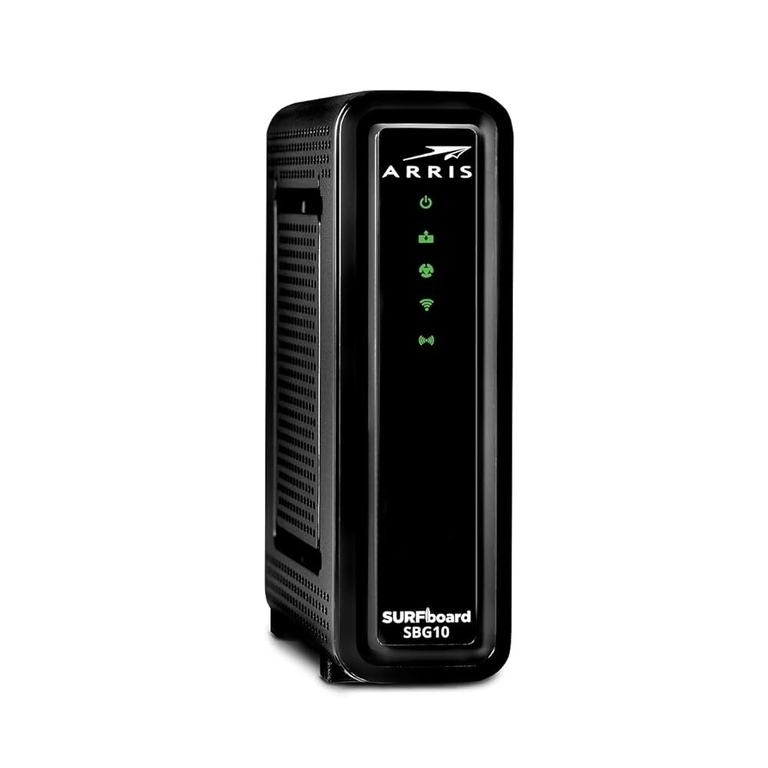
Modern Wi-Fi routers from Arris may use randomized username and password combinations for login. On older models, however, you can use the following combinations to log in to the dashboard.
- Username: admin
- Password: password
Or
- Username: admin
- Password: admin
However, I am familiar with Arris routers that follow another route for admin credentials. So, it makes sense to check the product sticker on the back of the router. If your Arris router uses randomized credentials, you can find the username and password on this sticker. You can capture a photograph of this product label for convenient access to the information.
Some Arris routers use another form of admin credentials. On these devices, the last eight digits of the product serial number would be the admin password. In this case, you need to note down those eight digits and paste them in the right field to log in to the admin panel.
You can use any of the three methods below to find the default login credentials for your Arris router.
Default IP Address For Arris Router
You may know the username and password for login, but how do you actually log in? Like other Wi-Fi routers, Arris also offers a web-based admin dashboard. You can access this control panel if you are connected to the local network. You will have to enter an IP address, which can be one of the following:
Like the login credentials, the default IP address is also subject to change. Therefore, I recommend checking the router’s product label or user manual for the correct information. Both these should contain the model-specific IP address, if any. It is okay if you can’t find the information on the product label, though.
As long as you have a device connected to the Wi-Fi network, you can also find the default router IP address. Devices running macOS, Windows, Android, and iOS allow you to access this information from the Network Settings.
How to Log in to an Arris Router
Now that you know the default credentials for your Arris router, you can log in to the dashboard. This process is generally straightforward. Here are the steps you need to follow. Before you begin, ensure that you have stored the login credentials in a secure and accessible location.
- Ensure that your computer is connected to the Arris router’s network. You may prefer Wi-Fi, but I highly recommend sticking to an Ethernet connection for better stability. This might come in handy if you are planning to change the Wi-Fi SSID or password.
- Once you are connected, open a web browser like Google Chrome or Edge and enter the following IP address:
- http://192.168.0.1
- http://192.168.1.1
- http://192.168.100.1
Depending on the model, one of these IP addresses should work.
- In a few seconds, the web browser will load the login page of the admin panel.
- On this page, you can enter your username and password to log in as an admin. In a second, the Arris router will recognize the account and log you in.
At this point, you can access the dashboard and modify the settings as needed. These steps are essential for most tasks, including changing passwords and altering network settings.
How to Reset Arris Router
There are times when you cannot log in to the Arris router using the default credentials. It mostly happens because you or someone else has changed the admin password. I know that some Arris router models can ask you to change the admin password after the first login. Anyway, you might have changed the password.
It is all good if you can recall the new password you set up. However, if you cannot remember the password, you will need to reset your Arris router. Doing so will restore the default username and password. Please note that a factory reset will erase all existing configurations from the router, including Wi-Fi network details.
After this point, you will have to configure the Arris router from scratch. Here is how you can reset your Arris router to restore the default username/password for login. Here’s how you can reset the router.
- Ensure that you have disconnected all cables from the Arris router. You must keep the power cable connected at all times.
- Locate the Reset button on the real panel of your Arris router. On some models, the Reset button is on the side.
- Keep in mind that some are actual buttons while others are hidden. In the case of the latter, you may need a safety pin or a SIM card ejector to access it.
- Now, press and hold the Reset button for at least 10 to 15 seconds. During this time, the status lights on the Arris router will begin to blink. It indicates that the router has already started the factory reset process.
- Depending on the model, the reset process may take anywhere between one and ten minutes. You must have patience and keep the router connected to power.
Once the status lights are static, it means you have successfully performed a factory reset on the Arris router. Now, the router will let you log in using the default credentials I have covered above.
How to Configure Arris Router
After you have your Arris router, you can configure it using the admin panel. If you don’t know the Wi-Fi password, you can connect your computer to the router using an Ethernet cable.
Once this is done, you can access the admin panel by opening the default router’s IP address. Here, you need to enter the default credentials I mentioned above.
After logging in, you can use the auto-setup wizard to configure your Arris router. You may want to contact your ISP to get the details.
Wrapping Up
I believe this guide helped you log in to your Arris router. I have covered both the default login and IP address for these devices. However, in the event you can’t log in using them, you can always reset the Arris router, too.
