
The NETGEAR Orbi router lineup is one of the best options for performance and coverage. However, if you are new to whole-home networks, you may be confused about how to set them up. The first step in this is to log in to the NETGEAR Orbi router. In this guide, we have covered everything you need to do this. We shall also provide you with some information on default logins for Orbi routers.
How To Log In To NETGEAR Orbi Router
You need to follow a multi-step process to log in to a NETGEAR Orbi router. Let’s first look at the things you need to get started.
- You must have physical access to the NETGEAR Orbi router. This device must be connected to a stable power source.
- A computer with Ethernet or Wi-Fi connectivity. You may use a smartphone or tablet, but some features may not work.
- It’d be better to have access to the router’s label (on the side/back) or the product’s user manual to double-check the default login credentials and IP address.
Once you have access to these elements, we can proceed with the login process. The steps are given below:
Step #1
As you can guess, the first step is connecting your computer/smartphone to the Orbi router’s network. You can do it a few ways, but I recommend Ethernet for apparent reasons. An Ethernet connection helps because you are less likely to face disconnections.
This means you can stay connected to the Orbi network even if you change the Wi-Fi SSID. With Wi-Fi or WPS connection, you don’t get this privilege. However, if you really want to access the login interface and dashboard on your smartphone, you must rely on Wi-Fi.
Step #2
Once you have connected the device to the Orbi router, open a web browser. You can use any modern web browser, including Microsoft Edge, Safari, Chrome, or Firefox. Once the browser is loaded, enter the default IP address of your NETGEAR Orbi router.
For most NETGEAR Orbi router models, the default IP address is 192.168.1.1. However, you must still double-check if this is true for the specific model you have. Here’s how you can confirm the default IP address of a NETGEAR Orbi router:
- You can check the label on your NETGEAR Orbi router. If you have multiple units in the mesh system, the central unit will contain the details.
- Two, you can check the user manual that came with the device. Those pages will also show you the router’s default IP address.
- You can find the IP address if you have a device connected to the network. You can use macOS, iOS, Android, or Windows to locate the default gateway address from Network Settings.
Once you enter the correct IP address, the router may take a few seconds to load the login interface.
If you are still unsure of the IP address, you may try entering https://orbilogin.net into the URL bar. The router should automatically translate this URL into the corresponding router IP address.
Step #3
When the login page loads, enter the admin login credentials. Here are two possibilities:
- If you are setting up the router for the first time, you can use the default username and password to log in to the dashboard. These credentials are printed on the label or the user manual.
- However, you or someone else may have changed the password before. In that case, you must enter the revised password. If you can’t remember this password, restore the default password by resetting the device.
Anyway, you can enter these credentials and access the dashboard.
Step #4
Once you log in successfully, you can access the various features of your NETGEAR Orbi router. From a security perspective, the first step is to change the admin password. Otherwise, anyone with physical access to the router and Google can access your network settings and hijack the router’s access.
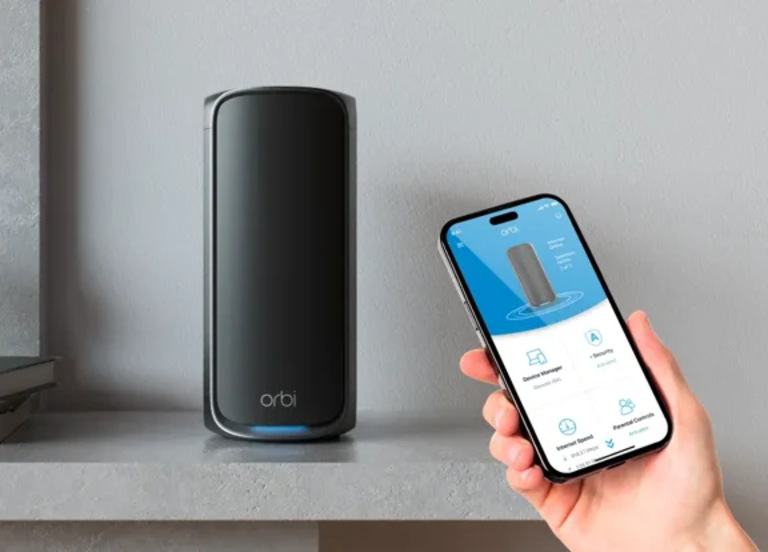
This is everything you need to log in to your NETGEAR Orbi router. Keep in mind that all these options would be available through the Orbi app. So, if you’d rather manage everything from a mobile device, you can use the Orbi app available for Android and iOS.
Default Login for Orbi Router
On most Orbi router models, you can use the following credentials for default login:
- Username: admin
- Password: admin/password
Please note that someone may have changed this password, or you may not remember the new password. In these cases, you can reset the Orbi router. Though this process removes all your settings, it will also restore the default credentials.
Wrapping Up
I hope this guide helped you access the NETGEAR Orbi router dashboard and make the changes you needed. The process seemed easy, and almost all issues can be fixed using a factory reset.
