
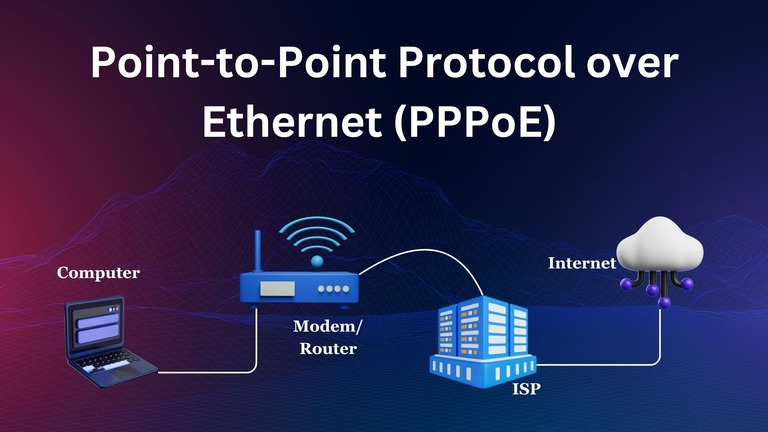
You may have come across the term PPPoE on your Wi-Fi router dashboard and in other places. You would have likely seen it during the network setup as well. However, have you ever thought of what PPPoE stands for and how it works? In this guide, I shall explain everything you should know about Point-to-Point Protocol over Ethernet and its role in the world of networking. We must start with PPP before delving into PPPoE.
What is Point-to-Point Protocol (PPP)?
First, we need to understand what Point-to-Point Protocol (PPP) is.
As its name suggests, the Point-to-Point Protocol is a networking protocol widely used across the world. You may also understand that the protocol is designed to connect two points within or across networks to each other. It is also why the name point-to-point is used. PPP is a data link layer (Layer 2) protocol that plays an integral role in ensuring reliability. It takes care of multiple responsibilities.
The primary purpose of PPP is to establish Internet connections across nodes (points) using media such as phone lines, fiber-optic cables, serial cables, etc. In these instances, PPP handles aspects such as encryption, authentication, error detection, and ensuring reliability. Because of this, the typical structure of PPP includes three major components.
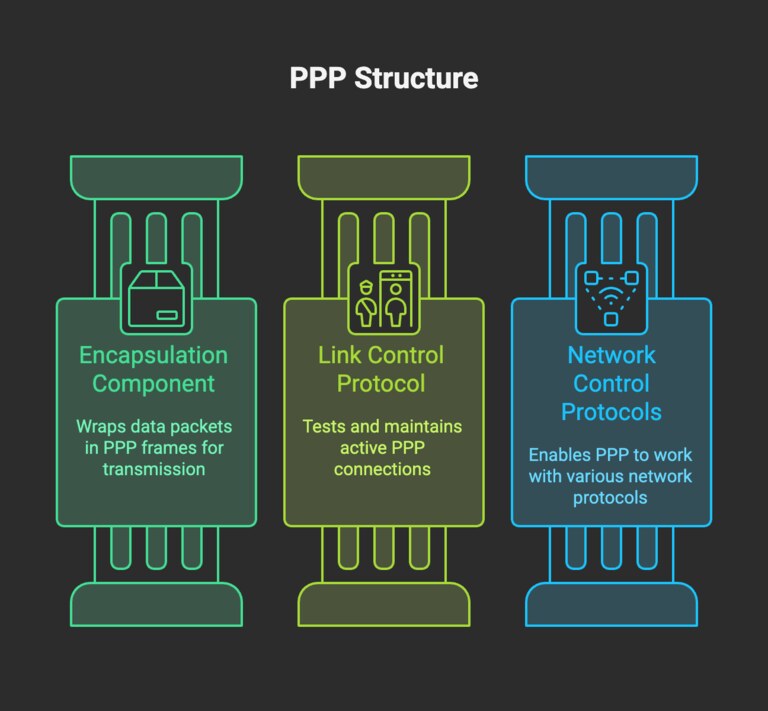
- Encapsulation Component can wrap up data packets in PPP frames
- Link Control Protocol (LCP) tests and keeps the connection active
- Network Control Protocols (NCPs) make PPP work with different protocols like IP and IPX
In other words, PPP is pretty versatile and has been powering the Internet as we know it for a long time. An interesting characteristic of PPP is that it is peer-to-peer in nature. This means that two devices (two clients or one client and a device) can communicate via PPP without requiring intermediaries like routers.
Over the years, we have seen the rise of different kinds of PPP protocols. PPPoE is one of them.
What is PPPoE?
Point-to-Point Protocol over Ethernet, better known as PPPoE, is a form of PPP; PPPoA (Point-to-Point Protocol over ATM) is the other popular one.
In case you haven’t guessed from the name, PPPoE combines the power of the PPP (protocol) and Ethernet. This way, connections and circumstances could benefit from the many benefits of PPP and the convenience of Ethernet connectivity.
Here is how this combination helps PPPoE become an ideal choice for many needs.
Let’s say that you are an Internet Service Provider (ISP) with a few hundred connections in the vicinity. If you want to provide Internet access to all these households, there should be a set of elements in place. First, the user must authenticate themselves by entering the username and password, and the entire transaction must be encrypted to be on the safe side. PPP takes care of these aspects since it is designed to manage things at the Link and Network levels.
After the authentication, PPPoE will also come in handy in terms of usage tracking, IP address assignment, billing system management, etc.
How Does PPPoE Work?
Here is a more detailed and technical explanation of how PPPoE works.
First, we should understand that PPP and Ethernet are not supposed to work together natively. While PPP uses exclusive frames to transfer data between two points, Ethernet uses different frames. The role of the PPPoE system is to intermediate the connection and make these two compatible.
Given below is an outline of how PPPoE works. It talks about how the technology works in the context of an ISP.
Step #1: Discovery Phase
This stage is about how two nodes discover each other in the domain of PPPoE. Here’s how the process goes:

- When a client (your Wi-Fi router, for instance) wants to establish a connection, it first needs to send a PADI (PPPoE Active Discovery Initiation) packet into the network.
- This special data packet will check if Access Concentrators are available on the network.
- Now, an Access Concentrator at the ISP will respond to this request by offering a PADO (PPPoE Active Discovery Offer) packet. This packet can be used to accept the connection.
- Depending on the network, multiple ACs (Access Concentrators) may send the PADO packet. Now, it is time for the client (your router) to choose one of these offers.
- The router will then send a PADR (PPPoE Active Discovery Request) packet to the network, where it requests a proper PPP session.
- Upon the receipt of this request, the chosen AC will send a PADS (PPPoE Active Discovery Session-confirmation) packet.
- This packet shall contain information pertaining to the connection, including the unique session ID.
- The client now accepts the session ID and confirms the connection.
Step #2: PPP Session Stage
In the previous stage, a PPP session was initiated. However, it is not authorized yet.

- When the connection begins, the AC will ask for credentials. The client needs to provide the PPPoE username and password to authorize the connection. Depending on the technologies, protocols like CHAP or PAP could be used.
- Once a client has authenticated the connection, the stage proceeds to IP address assignment. As you may know, the ISP will have a pool (block) of IP addresses ready. The AC will now assign one of these IP addresses to your client.
- At this point, the PPPoE connection is fully established.
Another packet, called PADT (PPPoE Active Discovery Terminate), is used to stop the connection.
Starting at this point, data can be transferred between the two nodes. Because PPPoE offers native support for features like encryption, connections are more secure and reliable. There is a noticeable increase in terms of speed as well.
Compared to other technologies in the domain, PPPoE makes it easier to keep track of services. That is, as an ISP, you can easily keep track of the amount of resources each user consumes.
What Is PPPoE Used For?
PPPoE is most used in the following instances. However, not all of these use the same combination. Instead, new features may be added to the package.
DSL Connections
DSL connections have heavily relied on PPPoE to provide Internet access to residential users. It is quite a convenient option since PPPoE can authenticate and streamline individual customer connections.
Ethernet-based Broadband
Many broadband services rely on an Ethernet-based infrastructure. These broadband services, which may use fiber-optic cables, also utilize PPPoE for enhanced control and authentication.
Public Wi-Fi Networks
It becomes necessary for public Wi-Fi networks to authenticate users and control their usage. In these cases, PPPoE becomes handy. While at it, PPPoE can take care of encryption as well.
Apart from these, custom enterprise designs may also rely on PPPoE tech at times. However, they are slowly being replaced by other authentication options.
PPPoE vs. DHCP
DHCP is another term you may have come across in the networking world. It also works with the aspect of IP assignment. However, understanding the differences between PPPoE and DHCP is crucial when you want to set up a network. Here is a quick overview.
Feature | PPPoE (Point-to-Point Protocol over Ethernet) | DHCP (Dynamic Host Configuration Protocol) |
|---|---|---|
Purpose | User authentication and IP address assignment | Automatic IP address assignment |
Authentication | Yes (requires username and password) | No |
Session Management | Yes (tracks individual user sessions) | No |
IP Address Assignment | Yes (dynamic or static per session) | Yes (dynamic or static) |
Overhead | Higher (due to PPP encapsulation) | Lower |
MTU Size | Typically reduced (1492 bytes) | Standard Ethernet MTU (1500 bytes) |
Ease of Setup | More complex (manual configuration required) | Easier (plug-and-play) |
Used By | ISPs (especially DSL and some fiber connections) | Home/office networks, most ISPs (cable/fiber) |
Security | More secure (includes user authentication) | Less secure (no built-in authentication) |
Billing and Usage Tracking | Yes | No |
Protocol Type | PPP over Ethernet | Application-layer protocol over IP (uses UDP) |
As you can see, there are many differences between PPPoE and DHCP.
PPPoE, as I said in the beginning, is designed for authentication and IP address assignment. It takes the role of authenticator seriously, taking care of credentials-based login. It also does session management and has been heavily used by Internet Service Providers, resulting in a complex setup via manual configuration. Since it deals with sensitive data, PPPoE offers best-in-class security as well.
DHCP, on the other hand, is made exclusively for automatic IP address assignment. It cannot authenticate a connection or manage sessions. Instead, it focuses on IP address assignment for home/office networks and works with most ISPs. However, the lack of built-in authentication makes DHCP a relatively less secure option out there. It cannot handle billing or tracking tasks, either.
Wrapping Up
I hope you now understand how PPPoE works and how it is different from other technologies like DHCP. It may be a little old, but PPPoE is still heavily used across the world. For instance, Fiber-to-the-Home Internet connections still use PPPoE because it allows them to ensure legacy-level control over how things work. It’s not surprising when we consider the steady popularity of the Ethernet infrastructure, either.
