
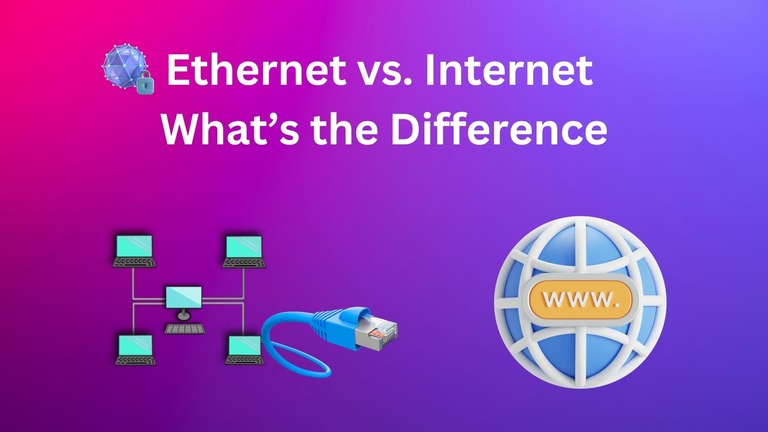
Ethernet and Internet are two common terms used in the domain of connectivity and communication. Some might even use these terms interchangeably to talk about an active connection. However, there are quite a few differences between Ethernet and the Internet. Understanding these differences will help make things clearer when setting up or expanding a connection. I shall start with a brief introduction to Ethernet and the Internet, and also discuss some common myths.
What is Ethernet?
Ethernet is a connection method widely used to set up a Local Area Network (LAN). Devices connected using Ethernet can communicate with each other while also connecting to a larger network like the Internet. It is mostly used to enable networking across small spaces like a home or office. Because it is a local connection, Ethernet-based networks can work independently.

For instance, you can use an Ethernet connection to move data from one device to another, even when there is no Internet connection. Though the speeds were pretty low in the beginning, Ethernet technology can be used for multi-Gig connections these days. Compared to other networking technologies like Wi-Fi, Ethernet connections are more secure and reliable. They also offer superior bandwidth capabilities.
In enterprise settings, an Ethernet connection can support speeds as high as 100 Gbps. You can also choose between different Ethernet cables for connectivity, such as Cat5e and Cat6. Nevertheless, Ethernet does not fare well in the aspect of scalability and mobility. Therefore, while fast and reliable, Ethernet continues to become less popular in favor of Wi-Fi.
In residential and commercial spaces, Ethernet is mostly used to connect devices like computers, printers, scanners, gaming consoles, etc. You may also have some niche devices with Ethernet connectivity. More and more devices are losing Ethernet connectivity these days. Compared to Wi-Fi chips, an Ethernet port takes up more space.
What is the Internet?
The Internet is a global network that connects billions of devices from across the Earth. This global network was originally designed for inter-device communication, but its scope has grown dramatically in the past few decades. The Internet is now used for global communication and resource sharing in almost every industry imaginable.

It has become impractical to list the use cases of the Internet. It is used for needs like email, streaming, web browsing, global collaborations, and a wider variety of communications. The speed at which you access the Internet will vary based on your location and the Internet Service Provider. While the basic speeds start at 1 Mbps, some Internet Service Providers can offer multi-Gigabit connections.
Because the internet is a global network, the actual reliability of the connection depends on a number of factors, including the ISP and the location that you are in. Similarly, because of its exposure to almost every part of the world, the internet is prone to global threats such as hacking attempts. This means you need to keep an encryption system or a firewall in place to prevent unauthorized entries from affecting your device.
The internet, as opposed to the Ethernet, is accessible from any part of the world as long as you have an internet-compatible device. It also means the internet has a virtual scalability of infinity, which means you can expand the availability of the internet using infrastructure. More so, while Ethernet is one of the various ways to establish a connection, the Internet has more or less become a necessity for the world.
Common Misconceptions About the Internet & Ethernet
Like other technologies, the Internet and Ethernet are also popular among myth-makers. As a result, you can come across a variety of misconceptions about the Internet and Ethernet. Earlier, people used to think that Ethernet and the Internet were the same, but it has changed since Wi-Fi took the stage. Anyway, here are a few common misconceptions and clarifications.
Misconception: The Internet = World Wide Web
Truth: The Internet is more than the World Wide Web. World Wide Web, better known as WWW, is one of the many services you can avail of using the internet. It is also home to services like email and video calls, which can work without the World Wide Web.
Misconception: Wi-Fi Is the Internet
Truth: Wi-Fi and the Internet are different. Wi-Fi is a networking technology that is often used to make the Internet accessible wirelessly. Wi-Fi is only one of the many ways to access the Internet, and it is another great option.
Misconception: Ethernet Is Old
Truth: Though Wi-Fi has been growing in terms of speed, it still cannot replace Ethernet in terms of speed, performance, and security. As I said earlier, Ethernet connections in enterprise settings can offer speeds as high as 100 Gbps, something that Wi-Fi still cannot do.
Misconception: Having Ethernet means having the Internet
Truth: You can have an active Ethernet connection but still be disconnected from the Internet. As I said, we use Ethernet to create a local area network that may or may not be connected to the Internet. So, if there is no connection to a modem/router, an Ethernet connection may not have Internet access.
What is Wi-Fi?
As I mentioned earlier, Wi-Fi is a wireless networking technology that uses radio waves. While it can be used for various purposes, Wi-Fi is most popular as a way to access the Internet without wires. In this setup, Wi-Fi is used to create a local area network via a router. This local area network is connected to the Internet via Ethernet, making the Internet accessible across the local area network.

Over the last decade, Wi-Fi has become the go-to option for accessing the Internet. So, it is not surprising that the younger generation says that Wi-Fi is down, while they mean that they cannot access the Internet. Although Wi-Fi offers convenience and improved speeds, it is vulnerable to obstacles, and you cannot expect the same speed at all times.
How to Connect to the Internet? Ethernet vs. Wi-Fi
Here is how you can choose between Ethernet and Wi-Fi when it comes to connecting to the Internet. I will show you a table first.
Aspect | Ethernet (Wired) | Wi-Fi (Wireless) |
|---|---|---|
Connection Type | Physical cable to router/modem | Wireless radio signals to router |
Setup | Plug in Ethernet cable directly | Select Wi-Fi network and enter password |
Speed | Higher, up to 10 Gbps or more | Slower, typically up to 1-1.6 Gbps (Wi-Fi 6/7) |
Reliability | Very stable; unaffected by physical barriers | Less stable; affected by distance & interference |
Mobility | Limited; device must stay plugged in | High mobility within Wi-Fi coverage area |
Security | More secure; physical access needed | More vulnerable; requires strong encryption |
Ideal Use | Gaming, streaming, large file transfers | Mobile devices, casual browsing, multi-user access |
You should choose Ethernet to connect to the Internet when you prioritize speed and stability. It is great for needs like gaming and high-bandwidth transactions. Wi-Fi, on the other hand, makes more sense when you prioritize convenience over speed. It can be slower than Ethernet, but the statistics are improving every day. You can confidently use Wi-Fi for needs like casual web browsing, streaming, etc.
Wrapping Up
I hope this article gave you a better understanding of the differences between Ethernet and the Internet. A few of these pointers may seem superfluous at first, but they can help you configure and manage a network better.
