You may have come across the term Wi-Fi hotspot while traveling these days. As we find this increasing need to stay connected to the Internet, Wi-Fi hotspots also become more common. However, like any other tech feature out there, Wi-Fi hotspots can be used by threat actors. In this guide, I will tell you what Wi-Fi hotspots are and how they work, and I will also share some essential security tips that you should know.
What is a Wi-Fi hotspot?
In general, a Wi-Fi hotspot is a location that gives you access to the Internet via Wi-Fi. For instance, you may come across a public Wi-Fi hotspot while visiting a café. You might have used one of these Wi-Fi hotspots in a football stadium or a shopping mall as well.

The chief purpose of a Wi-Fi hotspot is to offer (mostly free) Wi-Fi access to the public.
Over the last decade, the meaning of the world has slightly changed. These days, a Wi-Fi hotspot refers to a portable Wi-Fi connection that you get to use while traveling. In other words, the word Wi-Fi hotspot mostly refers to a mobile Wi-Fi hotspot. Worry not, we shall cover more details in an upcoming section.
Types of Wi-Fi Hotspots
You will come across three major types of Wi-Fi hotspots. They are:
Public Wi-Fi Hotspots
Public Wi-Fi hotspots are widely available hotspots that are offered by businesses. You may come across a public Wi-Fi hotspot in a café or a shopping mall. The idea is to provide customers with free Internet access and help them stay connected. Most of these hotspots are free, but you may require authentication through a captive portal. These Wi-Fi networks work like the Wi-Fi network at your home, but on a larger scale.
Mobile Hotspots
Mobile hotspots are the most popular type of Wi-Fi hotspots, and they are created using smartphones. They work by making the mobile cellular connection available to other devices via Wi-Fi. It is a convenient way to extend the data connection from your smartphone to the computer or another device. You can count on a mobile hotspot to keep your laptop connected even on the move.
Dedicated Mobile Hotspots
Dedicated mobile hotspots are standalone devices that offer Wi-Fi connectivity on the go. When we compare it to mobile hotspots, these dedicated devices provide better performance and battery life. You can expect to connect more devices and manage them efficiently as well. This option is more recommended for those who need uninterrupted Wi-Fi access on the go.

You can find additional types of Wi-Fi hotspots as well. For instance, travel hotspot devices allow you to set up a private hotspot by connecting to a public network. Similarly, 5G hotspot devices are designed to offer ultra-high-speed connections using the 5G cellular network. You can also rely on software hotspots, which let you convert the Internet connection on your computer into a Wi-Fi network.
How does a Wi-Fi hotspot work?
You already learned about the types of Wi-Fi hotspots. All these systems work a little differently. So, I thought I would tell you how a mobile Wi-Fi hotspot works.
For context, mobile Wi-Fi hotspots are also known as Smartphone Tethering. It is so because you essentially connect your smartphone to the computer for Internet access. Here is how it works:
- A mobile hotspot uses the built-in Wi-Fi technology to create a local Wi-Fi network. Devices nearby will be able to connect to this network. These days, most smartphones offer this function.
- At the same time, your smartphone will connect to the Internet via cellular data and convert the data signal into Wi-Fi signals. These signals are then propagated.
- Once a device has connected to the Wi-Fi network, it will have access to the Internet through the sharing of Internet resources.
As far as your cellular provider is concerned, you are consuming all the data through your smartphone itself. This data sharing happens in the background, and you can use the smartphone for other purposes. You can set up a Wi-Fi hotspot by sharing another Wi-Fi connection as well. It may be helpful when you have a single-device Wi-Fi plan and want to access the Internet from another device.
A dedicated mobile hotspot also works in the same way. These devices also ship with a SIM card that is used to connect to the cellular network. This cellular data is then converted into signals that your Wi-Fi device can access. However, because these devices set up a new Wi-Fi network altogether, you will have more control over how the network behaves.
How Fast Are Wi-Fi Hotspots?
We will now discuss how fast these Wi-Fi hotspots can get. Again, the answer depends on the type of Wi-Fi hotspot we are talking about. I first have a table comparing the typical download and upload speeds you get from these options.
WiFi Hotspot Type | Typical Download Speed | Typical Upload Speed |
|---|---|---|
Public WiFi | 1.5–15 Mbps | 1–4 Mbps |
Smartphone Tethering (4G) | 20–40 Mbps | 6–11 Mbps |
Smartphone Tethering (5G) | 71–186 Mbps (up to 1 Gbps) | 12–18 Mbps |
Dedicated 4G Hotspot | 30–50 Mbps | 6–11 Mbps |
Dedicated 5G Hotspot | 50 Mbps–2.5 Gbps | 12–18 Mbps |
Software Hotspot | Matches source connection | Matches source |
Travel Hotspot | 30–150 Mbps | 10–20 Mbps |
Community/ISP Hotspot | 5–20 Mbps | 2–4 Mbps |
As you can see, the fastest speeds you can find from a Wi-Fi hotspot are 2.5 Gbps. However, because most of these devices rely on the cellular network, the speeds will vary. You cannot expect the stable speeds you would get from a fiber-optic broadband connection.
Earlier, dedicated Wi-Fi hotspot devices used to outperform smartphone tethering connections. It used to happen because smartphones dedicated fewer resources to managing the network. Now, however, thanks to mmWave 5G, many smartphones can offer multi-Gig speeds through hotspots alone.
Are WiFi Hotspots Safe?
We now know that you can expect decent speeds from Wi-Fi hotspots. However, these speeds are of no use if the overall security is insufficient. Here is how different types of Wi-Fi hotspots perform in terms of safety and security.
WiFi Hotspot Type | Security Level | Summary of Main Risks/Protections |
|---|---|---|
Public WiFi | Low | Unencrypted, high risk of data theft, malware, fake hotspots. |
Smartphone Tethering (4G/5G) | Medium–High | Passworded, safer than public, but weak if using default or weak security. |
Dedicated 4G/5G Hotspot | High | Strong encryption, robust controls, update firmware for best safety. |
Software Hotspot | Variable | Security depends on source network. |
Travel Hotspot | High | Strong encryption, good user controls. |
Community/ISP Hotspot | Medium | Private to ISP clients, shared access increases exposure. |
As you can see, public Wi-Fi hotspots are the most unsafe. These hotspots can be a common spot for malware and other threats. First, most of these networks are open (unencrypted), attracting more threat actors. They then use the network to access connected networks and deploy threats like malware. They can often create evil twin attacks by creating a fake Wi-Fi hotspot.
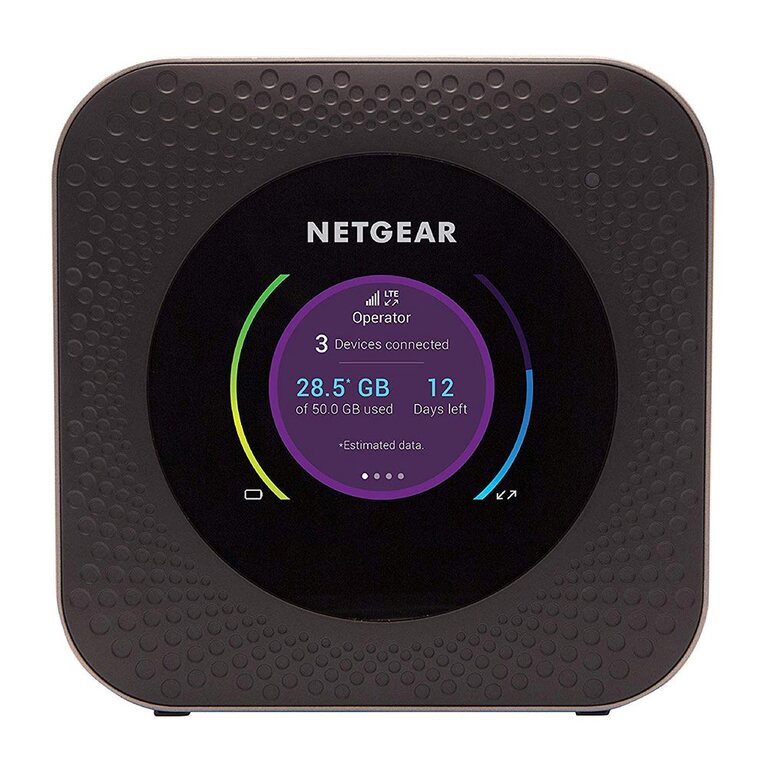
However, as we move to smartphone tethering and dedicated 4G/5G hotspots, the security also increases by a long shot. In addition to offering password-based protection and encryption, these networks provide many security features. You will even have a firmware to work with. You can easily set up multiple SSIDs as well. However, it all depends on how you configure the network (and the password).
Security Tips for Wi-Fi Hotspots
Wi-Fi hotspots are prone to security threats, whether you use one or create one. Here are some security tips that you can follow while using Wi-Fi hotspots.
When Creating Wi-Fi Hotspots
- Never keep the Wi-Fi hotspots open. Even if you think you are alone, it is better to choose a protocol like WPA2 or WPA3.
- You should also choose a strong password for the Wi-Fi hotspot connection. This way, strangers can no longer access your network by entering common passwords.
- If your smartphone has the option, you should set up an auto-shutdown function. So, your device will turn off the hotspot if it is not being used for an extended period.
When Using Wi-Fi Hotspots
- You should always double-check the SSID of the Wi-Fi hotspot before joining. As I said, evil twin Wi-Fi attacks are on the rise, and they can have profound implications.
- If you need to connect to a public Wi-Fi hotspot, you should try to use a VPN connection. A VPN can add an encryption layer, which protects your data from threat actors.
- It might be a good idea to turn off resource sharing with a hotspot connection. For instance, it is better to turn off printer/file sharing with the network.
By following these steps, you can confidently offer or use Wi-Fi hotspots no matter where you are.
Wrapping Up
Wi-Fi hotspots, when used carefully, can offer a lot of convenience. I have been using dedicated 5G hotspot devices for years now, and they have changed how I stay connected on the go. I have always preferred these devices to smartphone tethering—for better reliability and battery life, of course.