
Working from home? You’re not alone. Millions of us have discovered just how great it can be – no commute, better work-life balance, and let’s be honest, the ability to work in pajamas when needed.
But here’s the thing: your home office setup can make or break your productivity. Sure, you need a decent chair and desk, but it’s really the tech that transforms a spare bedroom into a legitimate workspace. I’ve seen too many people struggle with subpar equipment, wondering why they can’t focus or why everything takes twice as long.
Whether you’ve been remote for years or you’re just getting started, these five upgrades will seriously level up your game. Trust me on this one.
1. Ergonomic Office Equipment
If you’re uncomfortable, you won’t get anything done.
I can’t stress this enough – invest in a proper ergonomic chair. Your future self will send thank-you notes. And while you’re at it, get an adjustable standing desk. The ability to switch between sitting and standing throughout the day is a game-changer. My energy levels shot up once I started alternating positions.
Don’t forget about your hands either. Those cheap keyboards and mice that came with your computer aren’t doing you any favors. Ergonomic versions might cost more upfront, but carpal tunnel surgery costs way more. Plus, there’s nothing worse than wrist pain when you’re trying to meet a deadline.
2. High-Speed Internet Connectivity
This one’s non-negotiable. Slow internet will kill your productivity faster than anything else.
Picture this: you’re in the middle of an important client presentation, and your connection starts cutting out. Embarrassing doesn’t begin to cover it. Been there, done that, never again.
Get the fastest plan you can reasonably afford. Yes, it costs more, but think of it as a business expense. And if your house has Wi-Fi dead zones (most do), grab a mesh system. I installed one last year and suddenly could work from my back porch without issues.
3. Advanced Computing Devices
Your computer is your lifeline. If it’s slow, everything’s slow.
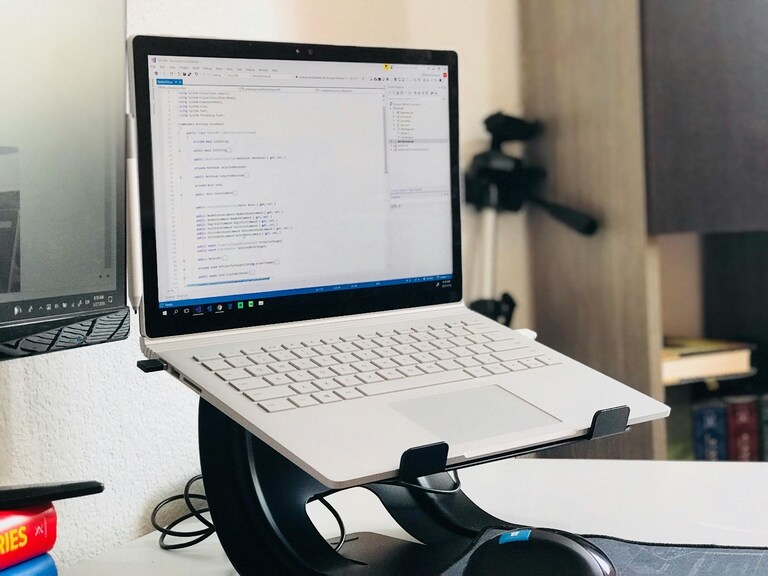
I see people trying to run modern software on five-year-old laptops, then wondering why they can’t keep up. It’s like trying to race a sports car with a bicycle. For those who need something portable yet powerful, HP laptops offer solid performance without breaking the bank.
The difference between a budget machine and a quality one isn’t just speed – it’s reliability. When you’re facing a tight deadline, the last thing you need is your computer freezing up or taking forever to save files.
4. Quality Video Conferencing Tools
We’re all living in the age of Zoom calls now. Your built-in laptop camera and microphone are probably not cutting it.
A decent external webcam (1080p minimum) makes you look professional instead of pixelated. And please, get a good headset. Nobody wants to hear your neighbor’s dog barking or your dishwasher running during meetings. I learned this the hard way during a client call last month.
These upgrades aren’t just about looking good – they’re about being taken seriously. When your audio and video are crystal clear, people focus on what you’re saying instead of struggling to hear you.
5. Comprehensive Backup Solutions
What happens if your computer dies tomorrow? All those important files, client work, and financial records – gone.
Don’t rely on just one backup method. I use both an external drive and cloud storage. The drive gives me quick access to everything, while cloud backup means I can grab files from anywhere. It’s like insurance – you hope you’ll never need it, but you’ll be grateful when you do.
Conclusion
Upgrading your home office isn’t just about buying fancy gadgets. It’s about creating a space where you can actually get work done without fighting your equipment every step of the way.
Start with what’s bothering you most. Terrible internet? Fix that first. Back pain from a cheap chair? You know what to do. Computer running like molasses? Time for something with real power.
You don’t have to upgrade everything at once. Pick one or two items and see the difference they make. Then tackle the rest when your budget allows.
