
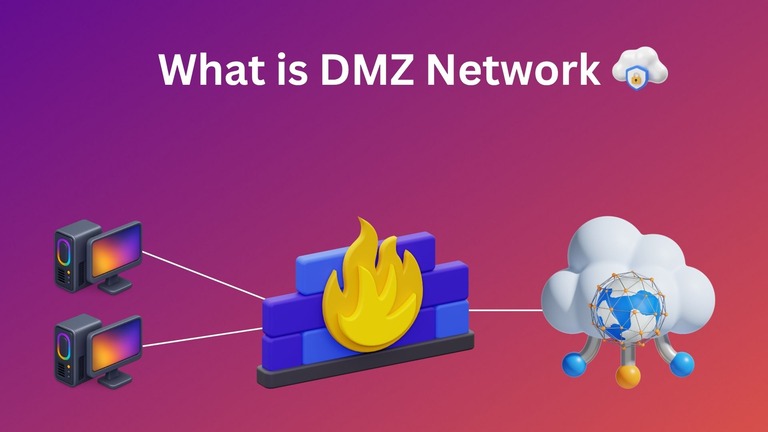
As digital security threats continue to grow rampantly, it has become a necessity to ensure the best security for your enterprise network. However, securing a network without a thought-out strategy can lead to access-related issues. Fortunately, you can use technologies like a DMZ Network to bring a balance between these elements. In this guide, I shall tell you what a DMZ network is and how you can implement one safely.
What Is A DMZ Network?
DMZ in general stands for Demilitarized Zone, which can be an area without access limitations. In the context of networking and security, a DMZ network is a subnetwork that is used to keep resources that should be accessible from the Internet. Sometimes, a DMZ network is also called a perimeter network or screened subnet.
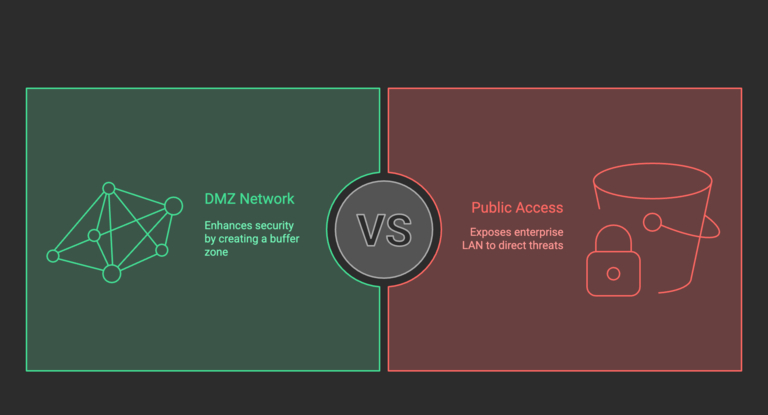
They are originally designed to ensure that your trusted (internal) network is protected from a potentially unsafe untrusted (external) network, such as the Internet. Usually, it would not be a problem when you’re dealing with a typical LAN that is closed. However, things are different when you want to set up something that the public (your customers) needs to access, such as a website, FPT server, or VoIP.
In these cases, a DMZ lets you create a secure buffer space instead of allowing public access to the enterprise Local Area Network. It can be used for web servers, mail servers, and FTP servers. It should be noted that a DMZ network cannot completely remove hacking attempts. However, it can surely make things difficult for threat actors attempting to access your enterprise networks.
How Does A DMZ Network Work?
You should know that a DMZ network is more than a way to place public-facing resources. As it happens, a DMZ network can be a strategic security decision for enterprise security. A DMZ network comes from the core idea that you cannot compromise security measures to offer public access to resources. It particularly focuses on the strategy of isolation and segmentation.
To appreciate this better, we shall think of a scenario without a DMZ network.
Without a DMZ Network
Let’s say that you want to set up a website using your enterprise infrastructure and make it accessible to the internet so that people can access it. Without a DMZ network, you will have to host this website on a web server that is connected to your enterprise LAN. So, if someone has access to the web server, they will also have a way to access your enterprise network.
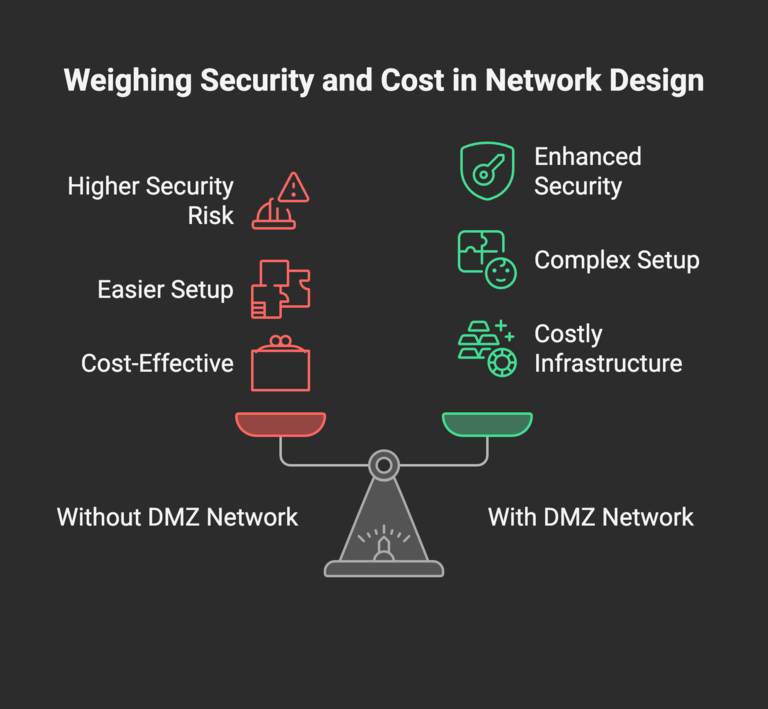
So, this creates a significant issue because unauthorized access becomes a little too easy without a DMZ network. Because this structure does not follow the principle of segregation, potential breaches can wreak havoc. It may even lead to a threat actor accessing your deeper systems. So, while the system without a DMZ network is easy to set up and less expensive, it can cause serious security issues.
With DMZ Network
With a DMZ network, however, you will be placing the web server in a separate sub-network, which is isolated from the internal network. That is, there is no direct connection between your company’s internal network and the network on which the web server is placed. As a result, public traffic doesn’t actually reach the internal network but is limited to the DMZ.
So even if someone manages to access the web server unauthorizedly, they will not have access to the internal network. Depending on the requirement, a DMZ network may use one or more firewall systems. It can affect the level of security one gets from the system. As you can guess, setting up and maintaining a DMZ network requires more effort and infrastructure.
As you have seen here, a DMZ network works through intelligently isolating and segregating network traffic. Depending on the system, it may need a wider variety of infrastructure. For instance, if you are following a single firewall system for the entire system, you might have to set up a switch so that it can tell apart traffic and everything. On the other hand, many enterprises use a dual firewall system to make sure that the DMZ server is utilized to the maximum.
As a result, a DMZ network makes it possible to offer access without compromising security. However, as we go deeper, we can appreciate the many other benefits of using a DMZ network.
Benefits of Using a DMZ
We will look at some benefits of using a DMZ network. Note that these benefits apply the most to enterprise users.
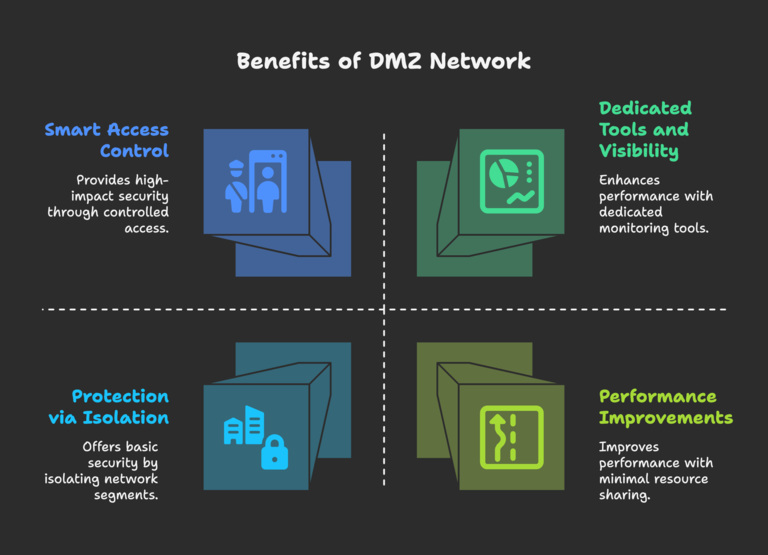
#1 Smart Access Control
The most significant benefit of using a DMZ network is the amount of control it offers while offering access to different types of users that you have to deal with as an enterprise. This way, you can keep clear boundaries between who can access what. Because the DMZ network works as a buffer zone, it allows you to set up all public-facing resources without compromising the access they would actually need. That is, you don’t have to restrict things that you may have to if you were setting up the entire thing on the internal network. Similarly, you can rest assured that your enterprise’s internal network is secure.
#2 Protection via Isolation
I mentioned at multiple junctures that a DMZ network uses the idea of isolation to work. However, this isolation can help with the overall security of your network as well. Because there are segments that require different types of authentication, threat actors will find it challenging to make their way into your network, even if they have the proper credentials for one of these systems. There have been instances where unauthorized access to FTP servers and VoIP servers has led to enterprise-level data leaks and breaches. With a correctly set-up DMZ network, you can avoid these situations.
#3 Performance Improvements
We also know that DMZ networks can help you improve network performance by getting rid of potential lag issues. This, again, works with the principle that you don’t have to share your resources with something else. That is, if you want to set up a bandwidth limit or speed limit for the public-facing network, you can do that without affecting the internal network. This way, because you dedicate enough resources to the internal network, heavy workload and everything will be sorted by the system itself. That is, just because the website is facing more traffic, it wouldn’t cause your internal network to lag.
#4 Dedicated Tools and Visibility
Setting up a DMZ network can help your network administrator better understand and track the issues with the network. Because there are multiple segments of networks within the infrastructure, it becomes easy to monitor the system as well as to route resources whenever necessary. It is also good to know that you can set up additional layers of security with the help of firewalls, vulnerability management systems, and advanced network monitoring. If your internal network doesn’t need all these things, you can just set them up in the DMZ network.
While these benefits are solid, it doesn’t mean that a DMZ network alone can protect your network system. It should be noted that it is a firewall that makes a DMZ network capable of offering these benefits. Therefore, it becomes a necessity to choose an implementation system that suits your requirements.
How to Implement a DMZ Network
When you set up a Demilitarized Network, you need to make the right choices. As I said, the firewall/gateway is vital for the setup, and it makes a huge difference. This firewall/gateway will decide how efficiently threats are recognized and addressed. However, you need to choose between two DMZ architecture designs: Single Firewall and Dual Firewall.
Single Firewall
The single firewall system for your DMZ is moderately complex and protects the network from unauthorized access. There will be one firewall that will be used by three interfaces, which are the Internet, DMZ, and the internal network. While the setup cost and complexity are on the lower side, there is only one device to dictate the rules, so you may not have much control over how the recognition and addressing of threats takes place. On the bright side, there are fewer maintenance issues to take care of, and single-firewall DMZs are suitable for small and medium-sized organizations. At the same time, you should keep in mind that an issue with one end can have a fatal impact on the entire network.
Dual Firewall
In the dual firewall architecture, things are a little complex. There will be at least two different firewalls. One will be essentially used within the domain of the Internet and the DMZ network. And the other firewall will be placed between the internal network and the DMZ. In most cases, different types of firewalls are used to make sure that there are no conflicts. The cost of setting this up is pretty high, and it is complex. As the dual firewall system offers better control, more time is needed to monitor and control these devices. However, the biggest advantage of the dual firewall system is that even if someone manages to break one firewall, let’s say the DMZ firewall, they still will not have access to the internal network.
Wrapping Up
I tried my best to explain what DMZ networks are and how they can help your enterprise system. This should be one of your considerations if you’re planning to expand your enterprise network while also housing the necessary servers, like FTP or even something like OIP. At the same time, people are going for multi-site approaches that are somehow more secure, so you might want to weigh in your options before you set something up, because when you’re going for a DMZ network and everything else associated with it, it means you will need a professional network administration to work full-time.
