

While it may not be the largest telecommunications provider in the US, Optimum Internet remains a popular option across 21 states where its services are available. It is also one of the few ISPs to offer connections of speeds up to 8 Gbps. However, it doesn’t feel great when you get terrible Internet speeds despite paying for better speeds, does it? Here is a guide on how to fix the Optimum slow Internet issue.
Before You Begin
Occasional slowdowns are a common occurrence in the world of Internet services. Therefore, you don’t have to worry if your connection slows down a bit during peak usage hours. I have a fairly reliable fiber-optic connection at home, but I still occasionally experience buffering issues while streaming YouTube. Therefore, before you conclude that your Optimum Internet connection is slow, you should see it through.

The easiest option is a set of speed tests. You can use the Google Speed Test or Speedtest.net to verify the speeds you receive from your connection. However, keep in mind that the speeds that Optimum offers may not be up to the exact digit. For instance, even with a 100Mbps plan, you can expect speeds of around 90-100Mbps.
Following this logic, you are likely facing a problem if you are getting substantially slow speeds. I am talking about anything less than 50 Mbps. If this is the case, you need to identify common causes of Optimum Internet speed issues and resolve the problem.
Common Causes of Optimum Internet Issues
If you are getting only half of the advertised speeds from Optimum, you are dealing with an issue. Any of the following factors could cause it.
Heavy Bandwidth Consumption
Other devices you may have at home could be consuming a lot of bandwidth. As a result, you may find slower speeds on one device. For instance, your desktop or smart TV could be using most of the bandwidth. If you try to stream something using your phone at this time, the speeds will be terrible.
Congestion Issues
As you probably know, Optimum Internet is available via fiber and cable. Both connections are susceptible to peak-hour congestion. That is, when other customers in your area use the Internet, you would notice a dip in the speed. It seems to be the case for most ISPs in the United States.
Outdated Modem/Router
Even as the Optimum network may support high speeds, your modem and router are responsible for making that speed available to you. If you are using an outdated modem or router, it may limit your speed. You may notice this difference when you upgrade to a higher plan, such as the 4 or 8-Gig plan from Optimum Internet.
Weak Wi-Fi Signal
Do you notice slow speeds on your Optimum Internet connection only when connected to the network via Wi-Fi? You may also be experiencing weak Wi-Fi signals. This may occur due to an underpowered Wi-Fi router or obstacles between your device and the router.
Hardware Issues
Faulty connections between devices can also affect the speeds you get from your Optimum Internet plan. It may be necessary to check the Ethernet cable connection between the modem and the router, for instance. You may also be using an unauthorized power adaptor, which is reported to cause problems.
Optimum Outages
Although relatively uncommon, issues with the Optimum Internet network can also be responsible for the slower speeds. There could be an ongoing outage or a scheduled maintenance from the company. Often, emergency weather situations can also affect the speed of your Optimum Internet connection.
Throttling
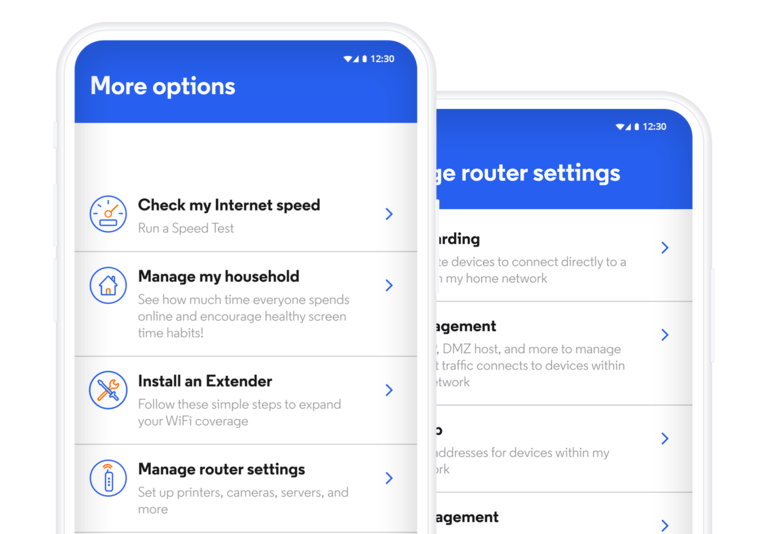
There have also been reports of speed throttling by Optimum Internet during peak hours and when you have gone past the FUP limits. If this applies to your situation, you may need some nuanced approaches to regain the speeds you pay for. Don’t worry; I’ve got you covered.
I have also encountered situations where a combination of these factors causes the Internet connection to be slow.
Steps to Fix Optimum Slow Internet
At this point, you must have an overview of why your Optimum Internet connection is slow. Based on these insights, we can identify some steps to resolve the Optimum slow Internet speed.
#1 Restart the Optimum Modem/Router
As is the case with other electronic equipment, temporary issues can affect the Internet speeds you get from Optimum. Therefore, before doing anything, restart your Wi-Fi router and modem.
For optimal results, wait a few minutes before turning the modem and router back on.
This way, you can ensure that the modem establishes a complete reconnection. In most cases, this step can help you restore the Internet speeds you pay for.
#2 Check the Power & Network Cables
If a restart does not resolve the issue, check the basic hardware cables next. In particular, you should verify that all network and power cables are correctly connected. The Ethernet cable between the modem and the Wi-Fi router must be a snug fit.
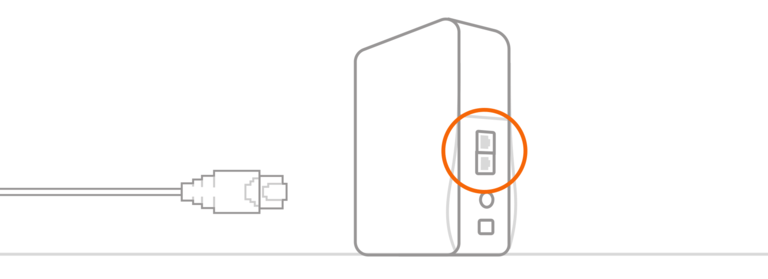
Power fluctuations can often affect router performance and speed. Therefore, I recommend using the official power adaptors to power both the modem and router. Only this way will these devices get the optimal amount of power.
#3 Manage Connected Devices
As I mentioned in the Causes section, multiple devices on your network could be consuming bandwidth. As a result, a single device may not get the speed it would otherwise get. Here are some pointers to follow:
- Check if too many devices are connected to the Wi-Fi or Ethernet network. This situation may cause a slowdown in speed.
- Confirm that your desktop/laptop is not updating Windows at random times. Background tasks, such as Windows Update, will consume bandwidth.
- You can prevent this situation by setting up the Metered Network function on a Windows PC or other functions on your phone.
You must also check whether any unauthorized devices are accessing the Internet using your Wi-Fi network. Similar situations may arise when your computer/smartphone is infected with malware. Before moving on to the next step, you should also explore this security/access angle.
#4 Upgrade Your Router/Modem
You may be using an underpowered router or modem for the Optimum Internet connection. It could be one reason if you recently shifted to a plan with better speed. Your old router-modem combo may not support the real-world speeds of your new Internet plan.
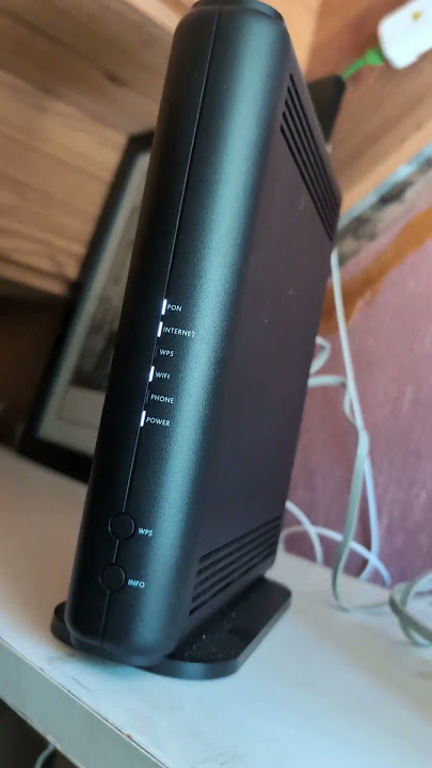
Therefore, you should check whether your current router-modem combo is compatible with the maximum speed of the Optimum plan. Most manufacturers will mention the maximum practical speeds a router can support. You should double-check these numbers, especially when you go for multi-Gig plans.
#5 Use A Better Wi-Fi Router/Ethernet
If you find slower speeds while using Wi-Fi, your Wi-Fi router may also be to blame. The Wi-Fi router might not be powerful enough to offer sufficient range and speed. You may encounter this situation when using older Wi-Fi router models. In these cases, you may need to upgrade to a more advanced Wi-Fi router.
For instance, if you find the connection to be slow in certain areas, consider a mesh Wi-Fi router. Similarly, if you want the best performance on gaming devices, you may need a gaming-focused Wi-Fi router. These devices can also offer advanced features, improving the overall Wi-Fi experience.
An alternative is to use Ethernet. Compared to Wi-Fi, Ethernet lets you experience the maximum speed your Optimum Internet connection can offer. Ethernet can also provide better signal stability, which is particularly beneficial for gaming or other tasks that require minimal latency.
#6 Verify Potential Throttling & Report
Though not widespread, Optimum might be throttling your connection. It may happen in two cases. One, it could happen during peak usage times. Optimum Internet ensures that everyone can access the Internet without everything crashing down. Two, it may happen if you go past the FUP policy.
You can’t really do much if an ISP throttles the speed during peak hours. Some sections of the fine print (one that we don’t read much) allow them to. However, if you think you are being throttled all the time, you can talk to Optimum.
There are also a few alternative options, such as using a VPN.
#7 Check for Outages
Before proceeding, please also check if an outage is currently occurring. You can use third-party websites or the Optimum portal. Also, you would have received a notification from the company in case of scheduled outages, though. You cannot do anything about weather-related emergencies, though.
#8 Contact Optimum
If you haven’t had luck so far, you are better off contacting Optimum. I believe the issue could be any of the following:
- A faulty modem that limits the maximum speed
- A wiring-related issue affecting the throughput
- An account-related problem that needs backend fixing
You can expect a comprehensive response from Optimum and have the Internet speed you pay for. You can also check if the current plan includes a complimentary upgrade to a better router.
Wrapping Up
I hope this guide helped you improve the speed of your Optimum Internet connection. I have found that a combination of hardware issues is the most common reason for such issues. It also means you can solve the issue with a simple restart at times.
