
You might have come across multiple guides that ask you to use the 5GHz band when gaming. But have you wondered why this recommendation exists? How does the 5GHz band improve your gaming experience? Is the change worth the potential drawbacks? In this guide, I will help you understand why 5GHz is good for gaming and is preferable to the 2.4 GHz band. You should soon have a clear idea about the ideal Wi-Fi band.
What These Frequencies Actually Do
Before we compare the 5GHz band with the 2.4 GHz band, I will tell you what these frequencies are and why they are important for wireless connectivity.
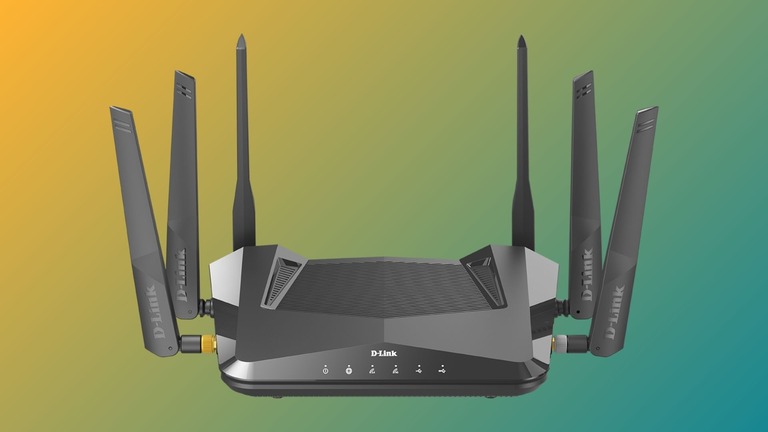
In the context of wireless networking (Wi-Fi), 2.4 GHz and 5GHz are two popular frequency bands that Wi-Fi connections use. This means that your Wi-Fi router will transmit signals in the selected range of frequencies. For the 2.4GHz band, the frequency range is 2.4 to 2.4835 GHz. For the 5GHz band, the range would be 5,150 to 5,825 GHz. There is also a newer 6GHz band that offers an enhanced frequency range.
Your Wi-Fi connection will use this frequency for data transmission between devices. Because the frequency bands are different, the amount of data, speed, and resiliency of signals will also vary. The aspects of speed and resiliency to outside factors make the biggest difference.
2.4 GHz vs 5 GHz: Quick Comparison for Gaming
I will now share with you a quick table to help you learn the differences between 2.4GHz and 5GHz bands. Don’t worry if the idea seems a little too technical; I’ll translate it for you.
Feature | 5GHz | 2.4GHz |
|---|---|---|
Speed | Higher (up to 3500 Mbps) | Lower (300-600 Mbps) |
Technical Standard | 802.11a/n/ac | 802.11b/g/n |
Channel Availability | 24 non-overlapping channels | Only 3 non-overlapping channels (1, 6, 11) |
Channel Congestion | Less crowded | More congested due to fewer channels |
Range | Shorter range | Better range through obstacles |
Signal Penetration | Weaker wall penetration | Better object/wall penetration |
Interference | Minimal interference from other devices | Easily affected by microwaves, Bluetooth, cordless phones |
Latency | Lower ping (better for competitive gaming) | Higher ping at equivalent distances |
Device Congestion | Less affected by numerous devices | Performance degrades with multiple connected devices |
Device Compatibility | Newer devices only | Compatible with virtually all Wi-Fi devices |
As you can see, 2.4GHz and 5GHz bands are poles apart in most aspects. As you know, the 2.4GHz band has been the industry standard for decades, and the 5GHz band is still catching up. The biggest difference you’d notice is the speed, because the 5GHz band can handle multiple times the amount of data that the 2.4 GHz band can. The 5GHz band offers lower latency and better protection from interference as well.
If you have been using Wi-Fi for a while, you might remember those days when a Bluetooth device or a nearby microwave oven used to mess up the connection. This was an issue with the 2.4GHz band, but the 5GHz band has improved things by a long shot. The newer frequency band works well even when multiple devices are connected to a network.
However, the 5GHz band may cause compatibility issues, as only new devices support the frequency band. It also supports shorter distances compared to the 2.4GHz band.
Why is 5 GHz Good for Gaming Over 2.4 GHz?
Before I tell you why the 5GHz band is better for gaming than the 2.4GHz band, let’s talk about online gaming.
To keep things simpler, we can put online games into three categories. Ones that need a stable connection, ones that need high-speed connections, and ones that need low-latency connections.
Let’s take the case of Minecraft.
You may need a high-speed Internet connection to download Minecraft. However, during gameplay, you can survive with a stable Internet connection. Things like latency (the time your signal needs to reach the Wi-Fi router) don’t really matter in this case. So, you won’t have trouble playing Minecraft using the 2.4 GHz band. This is because Minecraft is not so dependent on multiplayer action.

Things are different for titles like Fortnite or Call of Duty: Warzone.
Sure, you need a high-speed Internet connection to download Call of Duty: Warzone, but it does not end there. The game is so intense that your response time (in milliseconds) decides whether you continue playing or quit. Because of these, latency and interference make a huge difference in that they may affect the time signals needed to reach the router.
So, if you are into games like Fortnite and Warzone, the high-speed, high-latency connection using the 5GHz band makes a huge difference. A 5GHz Wi-Fi connection can offer the following things:
- The best speeds you can get from the Wi-Fi network and the Internet connection
- Best-in-class latency you can count on for competitive online gaming
- Better protection from signal interference caused by devices like a microwave oven
In short, choosing the 5GHz frequency band over the 2.4GHz band is the better option for online gaming. It does not mean every game mandatorily needs the 5GHz band.
Popular Games and Recommended Frequency
Here are some popular online games and the Wi-Fi frequency band you should choose while playing them.
Game | Recommended WiFi Band | Reasoning |
|---|---|---|
Fortnite | 5GHz if close to router, 2.4GHz if distant | Fast-paced battle royale with building mechanics |
Apex Legends | 5GHz | Quick reaction shooter requiring low ping |
Call of Duty: Warzone | 5GHz | High-intensity combat gameplay |
Valorant | 5GHz | Tactical shooter requiring precision |
Helldivers 2 | 5GHz | Cooperative team-based combat |
Halo Infinite | 5GHz | Competitive arena shooter |
Minecraft | 2.4GHz | Less latency-sensitive gameplay |
Among Us | 2.4GHz | Simple graphics, low requirements |
Sea of Thieves | 2.4GHz | Adventure game, less reaction-dependent |
GTA Online | 5GHz | Mixed gameplay with racing/combat |
Destiny 2 | 5GHz | Fast action with raid mechanics |
Rocket League | 5GHz | Physics-based with quick inputs |
Fall Guys | 2.4GHz | Casual party gameplay |
Diablo 4 | 2.4GHz | Stable connection over lowest ping |
League of Legends | 5GHz | Competitive MOBA with skill timing |
As you can see, quite a few games work great even when using the 2.4GHz Wi-Fi frequency band. It leads to another question, right? How do you choose the best frequency band for your game?
How To Choose Between 2.4 GHz and 5 GHz
Here’s a quick guide to choosing between the 2.4GHz and 5GHz frequency bands. You need to pay attention to the following aspects:
Type of Online Game
The first thing you should pay attention to is the type of online game that you play. If you are playing games like Warzone, there is no way you can compromise on speed and latency. In these cases, you have to stick to the 5 GHz band, even if it means setting up a secondary router or going for a mesh network. Trust me, you will notice a huge difference in your gameplay experience, especially in how quickly your responses are.
Location from Router
The second deciding factor would be where your device is located. If you keep your gaming console close to the router, you can definitely choose the 5GHz band because you will get better speed and protection as well. But if you are far away from the router, you may have to choose the 2.4GHz band because the 5 GHz band cannot cover huge distances. It may not be a problem in small houses or apartments, though.

Interference
As I mentioned earlier, the 2.4 GHz frequency band is more susceptible to signal interference. So, if that is a concern that you have, you might want to stick to the 5 GHz band. It is more protected from interference issues, and you can get better performance as well. You should stick to the 5 GHz band if you have multiple Wi-Fi devices as well.
Compatibility
Compatibility is also another concern because you may have some old gaming consoles or computers that may not have support for 5 GHz Wi-Fi. In these instances, you don’t have an option but to use the 2.4 GHz network. Xbox One and the original PS4 are devices with only 2.4 GHz network support.
To conclude,
You should choose the 5GHz frequency band when playing competitive games and when the gaming setup is less than 30 feet from the router.
You should choose a 2.4 gigahertz band when you have placed a device far from the router and want to use Wi-Fi on one of the old consoles.
How To Enable 5 GHz in Your Router
Now that you have decided to choose one of the options, I will tell you the steps to enable 5GHz on your Wi-Fi router.
- Make sure that you have a dual-band Wi-Fi router (offers both 2.4GHz and 5GHz bands).
- Connect your computer to the network via Wi-Fi or Ethernet
- Open the default IP address (something like 192.168.1.1) on a browser like Google Chrome
- When you see the login page, enter the login credentials for the Wi-Fi router.
- Go to Wireless > Wireless Settings > and choose the 5GHz tab.

- Make sure that the Wireless Radio is turned on. If you are enabling the option for the first time, you will have to set it up by choosing the SSID, password, connection mode, etc.
- Save the settings and wait.
In a few seconds, you should be able to see the 5GHz Wi-Fi network when you scan for networks.
Wrapping Up
I hope this guide helped you understand the difference between the 2.4GHz and 5GHz frequency bands from a gaming point of view. These days, the 5GHz band on high-end routers is becoming more popular and can offer better coverage. Better yet, you can set up a mesh network and stop worrying about coverage at once.
