
Since we have apps for almost everything these days, I won’t be surprised if we have a generation that asks, “What is a web browser?” But, even today, you get some benefits exclusive to web browsers on Android. For instance, you get a relatively neat, ad-free experience in a browser without paying for paid subscriptions.
The sheer diversity of browsers also makes things easy. Here are the top 10 Android web browsers.
Key Takeaways:
- You get to choose from a rich collection of web browsers when you use an Android smartphone or tablet PC.
- You can go with standard options like Google Chrome, Microsoft Edge, or Mozilla Firefox for a modern browsing experience without additional customization.
- However, options like Comment and Vivaldi are right there when you want to go a little further and enjoy a more customizable, productivity-focused browsing experience on Android.
What Is a Web Browser?
A web browser is an application that lets you open web pages on the internet. You can also use a web browser to open local files. However, generally, they are used for browsing the web. Web browsers are now available on desktops, mobile devices, tablets, and smart home devices. When it comes to privacy and accessing restricted content, many users rely on browsers with built-in VPNs or use a reliable VPN app for Android to ensure secure browsing. Some privacy-focused users even prefer using an antidetect browser on Android to minimize tracking and fingerprinting for enhanced anonymity.
How to Choose the Best Android Browser?
Here is a quick rundown of the criteria we used to choose the best web browser for Android.
First, we wanted to recommend web browsers that offer maximum speed and performance, without slowing down your phone. It also meant that we had to choose a web browser app with an intuitive UI design.
The second criterion was features and the ability to expand the purpose. If you are like me and want to use different browsers for different purposes, we want to offer multiple options for each.
Choosing the right web browser for Android can enhance your experience when syncing data across devices, ensuring seamless access and management.
Last but not least, I have reviewed multiple ratings and feedback to ensure these applications are reliable.
Top 10 Web Browsers for Android
The best browser for Android depends on your needs. Google Chrome offers fast browsing and seamless integration with Google services. Firefox provides strong privacy features and customizability. Opera has a built-in VPN and data saver mode. Brave blocks ads and trackers by default, enhancing speed and privacy. Evaluate features to choose the right fit.
Google Chrome: The Ubiquitous Choice
[editors-rating rating=”8″]
| Developer | Google LLC |
| Price | Free |
| Best Feature | Seamless integration with the Android operating system for optimal performance and multi-device sync. |
Google Chrome has been an integral part of the Android experience for a long time, and most people don’t think of it as a web browser. Unless you have a Samsung smartphone, your device will already have Google Chrome as the default web browser. Google Chrome is the go-to choice for most people for a few reasons.
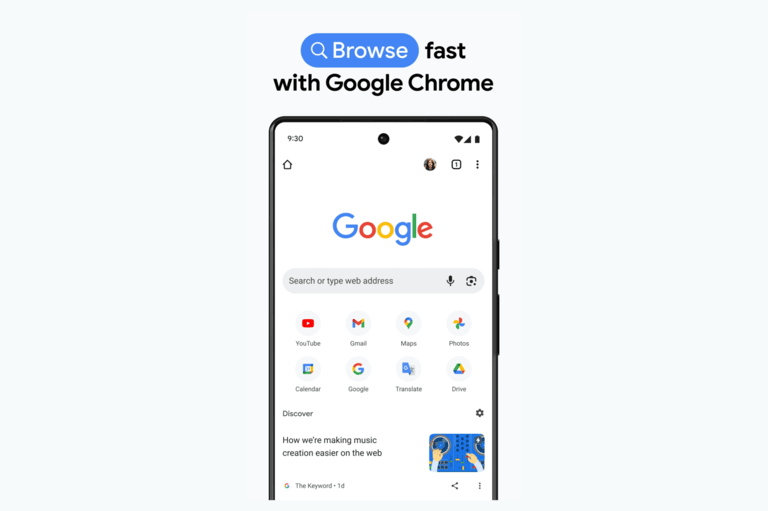
Google Chrome is so well integrated into Android that it is the most efficient way to browse the web on an Android device. Unlike the PC versions of Google Chrome, Chrome for Android does not consume many resources either. So, even with a mid-range smartphone, multitasking would not be a problem for most.
As far as features are concerned, you get the full suite of features from Google, as well as the benefits of multi-device sync and support. Google Chrome for Android is also one of the most stable web browsers, thanks to regular support from Google.
Overall, if you are not looking for specific features, you might as well stick with Google Chrome on Android.
Mozilla Firefox: Privacy and Customization

[editors-rating rating=”8.5″]
| Developer | Mozilla Foundation |
| Price | Free |
| Best Feature | Privacy-focused browsing with support for extensions and customization. |
Even when you get an Android smartphone from another manufacturer, it is difficult not to notice how much control Google has over your smartphone experience. When browsing the web, some people prioritize privacy and customization.
If you are one of them, you should go for Mozilla Firefox for Android. This is the official Android version of the Mozilla Firefox browser, offering a balanced package that combines a privacy-centric philosophy with customization options.
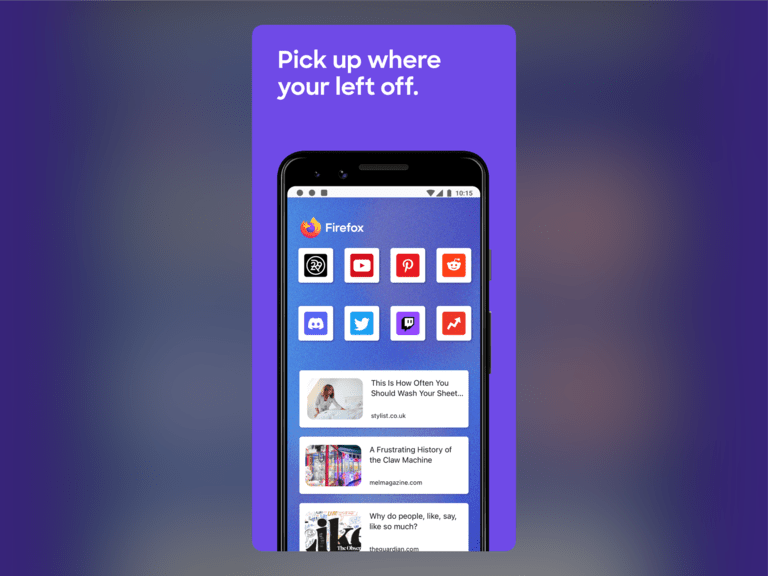
Unlike Google Chrome for Android, Mozilla Firefox allows you to install extensions on your smartphone, just like you would install an ad-blocker extension on Mozilla Firefox on your Windows PC. You can customize your New Tab page and widgets.
Firefox for Android is thus the recommended option when privacy is your top priority.
Microsoft Edge: Integration with Microsoft Services

[editors-rating rating=”8″]
| Developer | Microsoft Corporation |
| Price | Free |
| Best Feature | Seamless integration with Microsoft services and AI-powered features, including Copilot and tab management. |
If you rely more on Microsoft services like Office, Outlook Email, or your PC, you might be interested in better integrating these services when you browse the web. In that case, you should set Microsoft Edge as your Android smartphone’s default web browser.
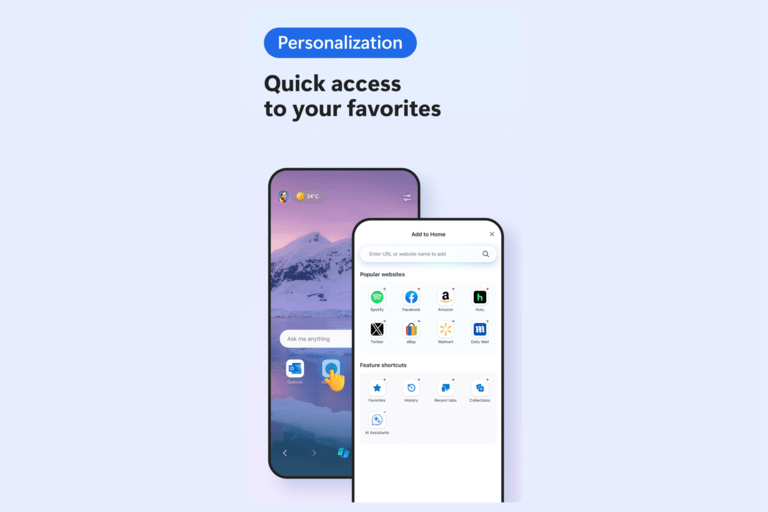
Microsoft Edge has been trying to become an alternative to Google Chrome, offering a comprehensive set of features and the convenience of multi-device syncing. However, I should warn you that Microsoft Edge often goes overboard with these features. There might be instances where you don’t need this many features in a web browser in the first place.
You get a decent set of standard options, such as reader mode and AI-based tab management. Like other Microsoft products, Edge for Android has also integrated Copilot. You can use all these features with a pinch of AI on top.
Choosing Microsoft Edge over Chrome isn’t a significant leap in terms of privacy. But you will get better integration.
Opera Browser: Built-in Ad Blocker and VPN

[editors-rating rating=”8″]
| Developer | Opera Software |
| Price | Free |
| Best Feature | Built-in free VPN with no bandwidth limit and ad blocker for enhanced privacy and browsing experience. |
If you thought Google Chrome, Microsoft Edge, and Mozilla Firefox do not offer enough, you might want to check out the Opera browser for Android. It is one of the few browsers that comes with a built-in ad blocker and VPN service.
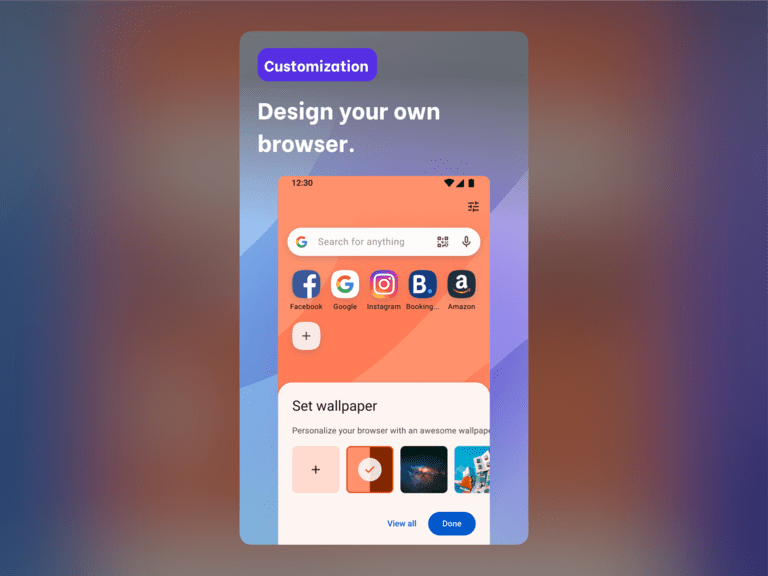
Surprisingly, the built-in VPN is free and has no bandwidth limit, offering an even better private browsing experience on your device. If you use Opera on your desktop devices, you get the benefits of multi-device sync. But that is beside the point, considering the app’s in-browser experience. You get a customizable news feed where you can select the sources.
There are also several customization options that we have not found on other browsers. Like other web browsers, Opera has also integrated its AI features into the app, and this one is called ARIA. Depending on the region, you might also have access to live scores and other dynamic features.
Conclusively, Opera Browser for Android offers a balanced package of ad-blocking and privacy protection.
Brave Browser: Focus on Privacy and Security

[editors-rating rating=”9″]
| Developer | Brave Software, Inc. |
| Price | Free |
| Best Feature | Built-in ad blocker and tracking protection with the option to earn rewards by viewing privacy-respecting ads. |
Brave Browser for Android is another option I wholeheartedly recommend for its balanced feature set, all while prioritizing privacy and security. Brave claims to be one of the most secure web browsers out there, and you get that experience from day one.
For instance, it comes with built-in ad and tracking blockers, which means you feel less impact from the entire cyber-alien system. Moreover, there is an option to watch privacy-respecting advertisements and earn rewards. So, there is an option to support your creators while also benefiting yourself. This is just one part of the features.

Apart from that, Brave performs exceptionally well on Android, with pretty great speed. While you do not get extension support, the browser app includes a built-in VPN. Once again, you can use your Brave account to synchronize data between multiple devices and resume from where you left off.
Compared to Google Chrome, Brave Browser for Android is better for privacy and security.
Vivaldi Browser: Extensive Customization Options

[editors-rating rating=”8.5″]
| Developer | Vivaldi Technologies |
| Price | Free |
| Best Feature | Desktop-style browsing experience with highly customizable UI and encrypted syncing, ideal for tablets and foldable devices. |
Vivaldi Browser for Android goes the extra mile by offering many features found in the options above. For instance, compared to Chrome and Firefox, Vivaldi is several times more customizable. You can extend the features without third-party extensions or keep the UI simple.
Something that I genuinely appreciate about Vivaldi for Android is that it simulates a desktop-style browsing experience. This is particularly useful if you have a foldable phone or use an Android tablet for most of your purposes. These desktop-style tabs are not only easy to manage, but you can also group them for easy access.
When it comes to privacy protection, the Vivaldi browser offers quite a lot by blocking ads and fingerprinting attempts. Customization is almost endless, as you can choose custom color codes and accent colors for each theme. With these improvements, Vivaldi also claims to enhance overall browsing speed, making the web experience somewhat faster.
Other fantastic features included in the package are encrypted syncing, background playback, and a built-in note-taking service. Overall, it is a browser worth trying out.
Samsung Internet Browser: Optimized for Samsung Devices

[editors-rating rating=”7.5″]
| Developer | Samsung Electronics |
| Price | Free |
| Best Feature | Optimized for Samsung devices, offering enhanced performance and compatibility with Samsung DEX, plus privacy features and a built-in ad blocker. |
I already mentioned that Google Chrome is not the default web browser on Samsung devices. Instead, it uses something called the Samsung Internet browser. You might want to stick with this built-in browser if you continue using a Samsung device, as it is optimized for the device and its user interface.
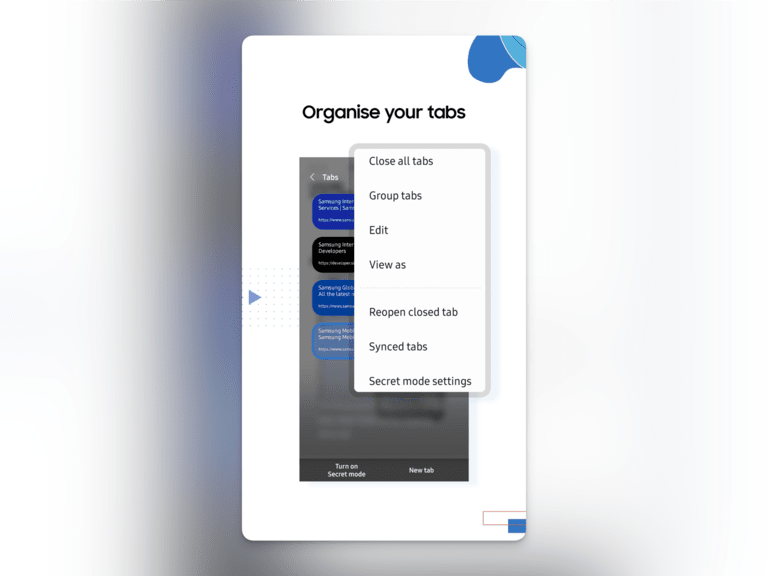
So, when you have a device with an Exynos (or a Qualcomm) chipset, you will find better performance with the Samsung Internet browser than on Chrome or other websites or web browsers. Like many other browsers on this list, Samsung Internet offers privacy-centric options and a built-in ad blocker, giving you a comparatively sane browsing experience.
Continuity and compatibility with DEX are also things that you should keep in mind. You can always keep track of all these statistics with your Samsung account. The browser also includes some tab-management features.
However, I understand that these features are not available on non-Samsung smartphones. So, I wouldn’t recommend this browser for those people.
Tor Browser: Ultimate Anonymity and Privacy

[editors-rating rating=”8.5″]
| Developer | The Tor Project |
| Price | Free |
| Best Feature | One-click access to the Tor network for enhanced privacy and anonymity, allowing access to censored and .onion sites. |
If you are looking for ultimate anonymity and privacy, even at the expense of some features and speed, you might want to check out the Tor Browser. Tor Browser is an Android web browser that lets you use the Tor protocol, which enhances your privacy and anonymity by a long shot.
As far as the browser is concerned, it uses the same rendering engine as Firefox, and you can expect the same security updates. However, the extra advantage here is that you have one-click access to the Tor network. This means you can access those deep web articles and pages that require opening a .onion web browser.
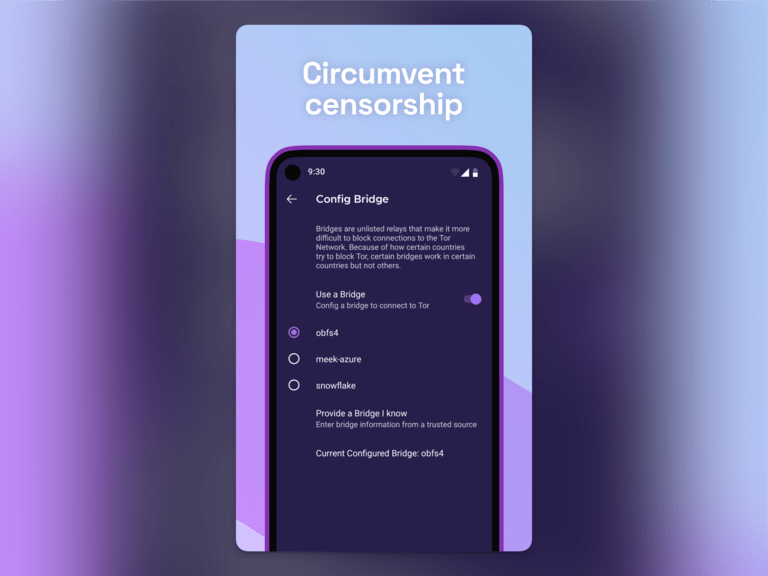
Because this browser application from the Tor Project is focused on internet freedom and access, speed may not be the best option here. On the other hand, if you want to visit pages that are censored or blocked in your country, there is no better option than Tor.
There is also custom control over what can track you and what cannot. For privacy-conscious users, this is a great option.
DuckDuckGo Privacy Browser: Enhanced Privacy

[editors-rating rating=”8″]
| Developer | DuckDuckGo, Inc. |
| Price | Free |
| Best Feature | Simple, clean interface with effective tracking removal and a “Fire” button to instantly clear browsing data and close all tabs for enhanced privacy. |
If you don’t think the Tor browser is the right choice for you, you might want to go for the DuckDuckGo Privacy Browser. While this browser also focuses on improving your privacy and security, it does not hamper the standard web browsing interface.
For instance, you can get started with a simple, clean interface that does not require advanced knowledge of these systems. On the other hand, the DuckDuckGo Privacy Browser does a great job of filtering out and removing tracking agents on a per-case basis.
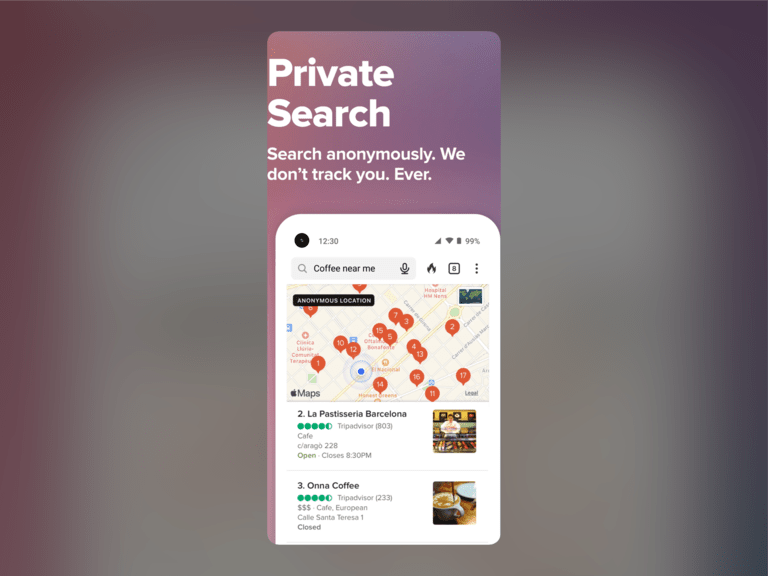
There is also a “Fire” button that you can use to instantly clear all the browsing data and close all the tabs you have opened. So, whether you are looking for digital privacy or better control over your online actions, this Android browser can offer something unique.
The overall browsing experience from this DuckDuckGo browser is also great for most people.
Comet Browser: Powerful AI-assisted Browsing for Web

[editors-rating rating=”8″]
| Developer | PerplexityAI |
| Price | Free |
| Best Feature | Popular AI-powered browser and can be assisted using the AI system. |
A best Android browser list today would be incomplete without one of the popular AI-powered browsers. We believe Comet from Publicity AI is one of the most suitable options you can choose today. Comet remains one of the easiest ways to integrate the goodness of AI into your day-to-day browsing.
Comet differs from other web browsers by not simply adding an AI summarizer to the system. Instead, everything you do using the web browser can be assisted using the AI system, including summarizing interactions and even browsing for you.
For instance, you can ask Comet Browser to enter your shipping or billing info when you are browsing a product. Or it can even find a competitively priced version of the product for you. The native ad blocker also ensures a smooth browsing experience across the Internet. Overall, Comet is worth checking out.
Frequently Asked Questions
What is the No. 1 Best Browser for Android?
In terms of performance, Chrome is the number one browser for Android because it is so well integrated. However, a case may be made for Samsung Internet if you use a Samsung smartphone. Otherwise, you can consider Brave and Firefox as better options
What’s the fastest browser for Android?
Google Chrome is technically the fastest browser for Android, but it does not have an ad-blocker. So, Brave or Vivaldi may load websites faster, meaning that you may want to try either.
What browser is better than Chrome?
Firefox and DuckDuckGo are better than Chrome for privacy. Vivaldi is better than Chrome for customization. Kiwi is more extensible than Chrome. This way, you can find many better web browsers than Chrome.
Conclusion
As I mentioned, I always have two free browsers installed on my Android device for different purposes.
For instance, though I use Google Chrome for regular browsing, I use Tor when I want to access content that is restricted in my country.
Similarly, there are times when I want a clean, ad-free reading experience, and I go with something like the DuckDuckGo privacy browser.
The point I am trying to make is that I have the choice to choose between all of these. Considering the power of your smartphone, you can install multiple of these apps. And it never hurts to have additional options when browsing the web.

24 Comments
Nice roundup, Rajesh. Good to see both Tor and DuckDuckGo’s browsers getting a shoutout for their privacy features. It’s crucial more people become aware of how much personal data traditional browsers collect.
You’re absolutely right Jake. Thank you.
But aren’t those browsers slower than Chrome or Firefox? I read somewhere that Tor, especially, can be pretty slow.
Terry, yeah, privacy often comes at the expense of speed, especially with Tor. It’s all about what you prioritize.
Been using Chrome forever cause it syncs up nice btw all my devices. Didn’t realize there were so many other options out there with diff features. Gonna give Brave a try for the privacy stuff, didn’t know about the built in ad blocker til I read this. Thanks for the info, made me think more about what I want from a browser.
Great insights on the top web browsers for 2025! I’m particularly excited about the emphasis on privacy features. It’s crucial to have options that prioritize security in our browsing experience. Looking forward to trying some of these out!