
Netgear Nighthawk is one of the most popular router lineups. Even though modern routers have moved to a single LED system, many Netgear Nighthawk models come with multiple lights. These lights and their colors can be confusing. It is so when your router shows an orange light for status LEDs.
In this guide, I will show you how to fix the Orange Light issue on the Netgear Nighthawk router with minimal effort.
Key Takeaways
- The orange light on a Netgear Nighthawk router indicates the router is receiving insufficient power and cannot function properly.
- Solutions include checking whether you’re using the original power adapter and whether the router is connected to an uninterrupted power source.
- You may also want to check whether a firmware update is available; installing it can resolve internal issues.
Netgear Router Orange Light: Explanation and Fix
The orange light on the power LED of a Netgear router indicates insufficient power. You can solve these problems by reconnecting all the cables, checking with the ISP, and resetting your Netgear router.
About LED Lights on Netgear Nighthawk Routers
Let’s quickly look at the different LED lights on a Netgear Nighthawk Wi-Fi Router.
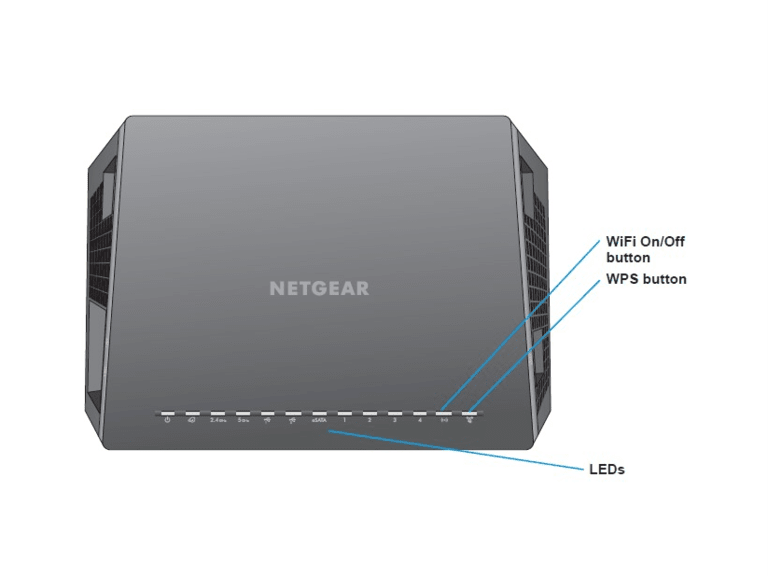
- Power
- Internet
- 2.4GHz Wi-Fi
- 5GHz Wi-Fi
- USB 1
- USB 2
- LAN 1
- LAN 2
- LAN 3
- LAN 4
- Wi-Fi
- WPS
As you can see, Netgear has designed this system so you can tell which features are working and which are not.
Note: Keep in mind that these are not universal structures. Your specific Netgear router may have additional LED lights or none at all. For instance, on routers with a single LAN port, you would find only one LED.
Depending on the status of each component, these LED lights will show different colors. For instance, if your router is powered on, you should see a solid green or white light on the power LED. On the other hand, issues with the power component will cause a flashing white or orange signal.
In this guide, we focus on the orange light, also known as amber.
Where Does the Orange Light Appear on Netgear Nighthawk Routers?
Before I tell you what the orange light means and what to do about it, we must understand where it appears on Netgear Nighthawk routers.
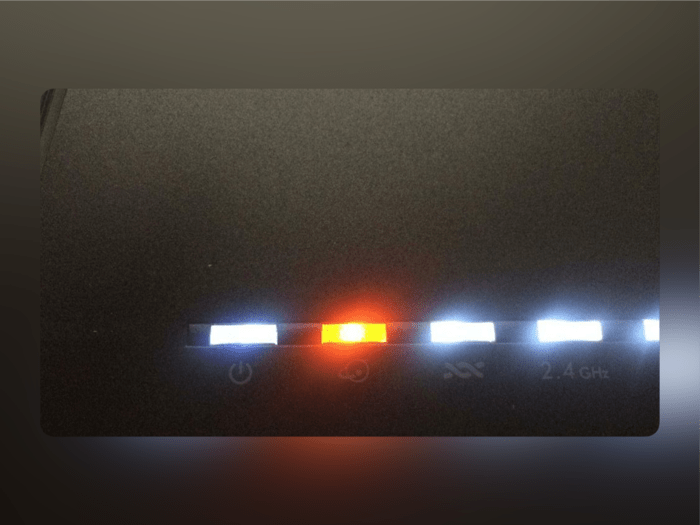
The orange/amber light appears on the following LEDs on a Netgear Nighthawk Wi-Fi router.
- Power
- Internet
- Ethernet/LAN
- Wi-Fi
Orange lights are the standard for Power and Internet LEDs on all Netgear routers. However, depending on the model, the Ethernet/LAN port and the Wi-Fi LEDs may not show an orange light.
What Does the Orange Light Mean?
We shall now see what an orange/amber light on these four LEDs means.
Orange Light on Power LED
The power LED indicates the status of the power supply of the Netgear router.
- When the router boots up, you will see a light amber color on the Power LED.
- But if it works properly, the LED will turn white or green.
- But if you see the amber light staying on for too long, it means the router is not receiving stable power.
This can be due to a faulty power supply, issues with the connection cable, or power delivery at your home.
Orange Light on Internet LED
The internet LED will indicate the status of the router’s internet connection.
- In ideal conditions, the internet LED shows a solid green or white light, indicating an active internet connection.
- However, if you see a solid amber/orange light, the router is connected to the modem via Ethernet.
- But you may not have internet access.
So, if you see an amber/orange light on the internet LED, you will likely experience issues with your internet connection.
Orange Light on Ethernet/LAN LED
If you see an orange or amber light on the Ethernet or LAN port of your Netgear Nighthawk router, it refers to the speed of one of the connected devices.
It specifically means that the connected device does not support gigabit speeds. Instead, it will be restricted to 10 or 100 Mbps.
You might come across this scenario if you have connected one of the older devices via LAN to the router.
Orange Light on Wi-Fi LED
While uncommon, you might also spot an amber or orange color on the Wi-Fi LED.
It mainly refers to a weak connection on either of the wireless bands.
Now that you know the potential reasons for the orange color on different LEDs on your Netgear Nighthawk router, we will see how to fix these situations.
How to Fix Netgear Nighthawk Router Orange Light for Internet LED?
To recap, the orange light on the internet LED of your Netgear router means a connection issue.
Solution #1
The first step is to check whether the modem has an internet connection. Your ISP may be experiencing a network outage or a maintenance delay. So, in that case, your Wi-Fi router cannot connect to the internet, and the orange light is common.
Solution #2
The second step is to check whether you have connected all the necessary cables and ports. In particular, the device should receive proper power, and you must have a suitable Ethernet cable.
Solution #3
Alternatively, to confirm whether the issue is with the router, try connecting a device directly to the modem. In this case, you should be able to access the internet without Wi-Fi.
Solution #4
I also recommend restarting and power cycling your Wi-Fi router and modem.
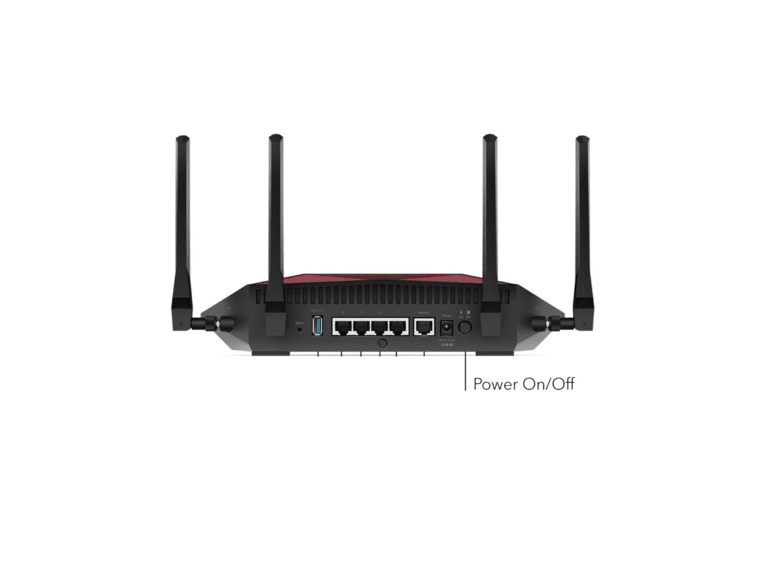
- To restart, press the router’s power button and wait for it to boot back up.
- To power cycle, turn off the router, disconnect all cables, then reconnect them one by one after waiting 30 seconds.
Both steps will ensure that temporary issues with the modem and Wi-Fi router are resolved, and since there is a fresh power supply, it will effectively restart the devices.
Solution #5
You should contact the ISP directly if these solutions do not solve the problem.
They will be able to solve the issue at the network level or device level.
It could very well be the case if you use a company-provided router.
How to Fix Netgear Nighthawk Router Orange Light for Power LED?
Since the orange light on the power LED indicates power delivery issues, the solutions here are relatively simple.
Solution #1
First, check whether you are using the company-provided adapter to power the router. As a no-brainer, check whether the power outlet is working correctly.
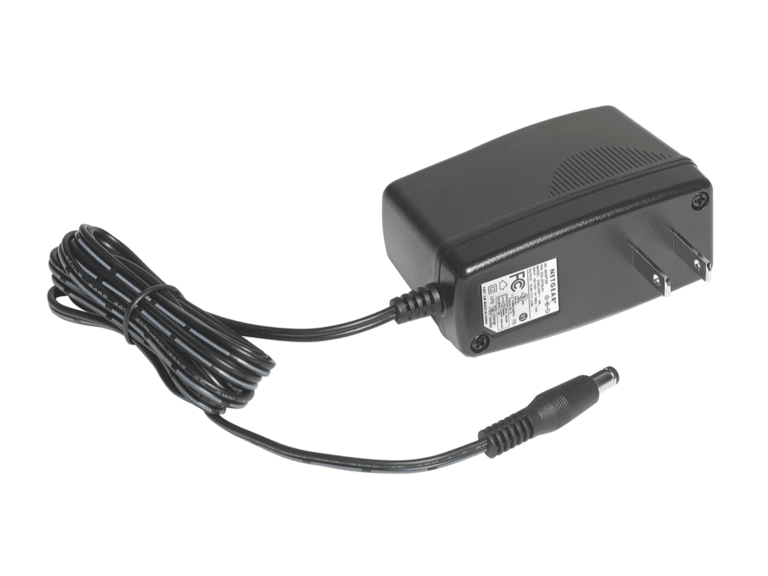
Sometimes, you may have a power outlet with lower power delivery options. In this case, the router may not receive sufficient power and show an orange light.
Solution #2
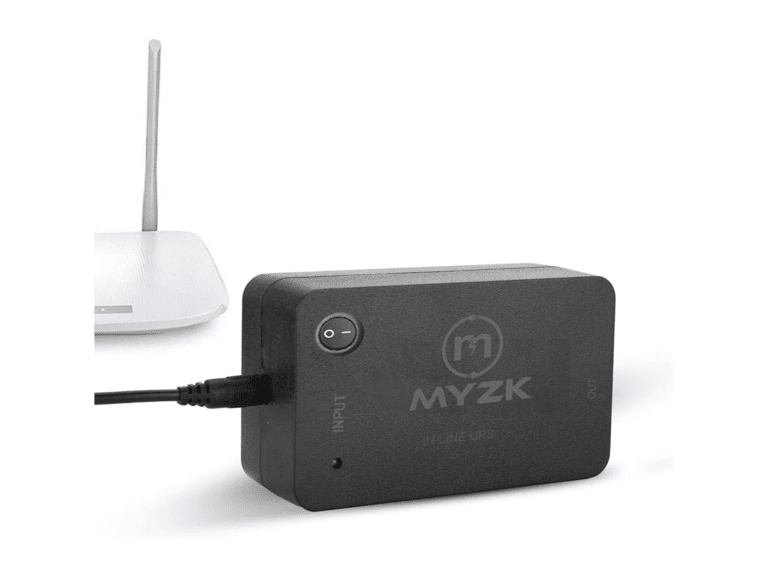
Another issue to consider is power fluctuations. These are common in areas with multiple power sources. So, you might consider going for a UPS tailored for a Wi-Fi router.
Solution #3
The third solution is to perform a hard reset of the Wi-Fi router. Press the reset button on the back of the Netgear Nighthawk router to do this.
But I should warn you that this process will erase all the settings that you have changed. As a result, you will have to set up your network and other preferences from scratch.
However, a hard reset can resolve almost all software-related issues with the Netgear router. You will have a fresh-out-of-the-box experience with the router.
How to Fix Netgear Nighthawk Router Orange Light for Ethernet/LAN LED?
An orange/amber light on the Ethernet/LAN LED is easy to solve.
First, check which device is connected to the LAN port. If the device does not support Gigabit speeds, the Ethernet LED may appear orange. If you have connected it to a printer or scanner, you do not need to worry about this.
But if you cannot access the internet on one of these connected devices when the orange light is on, it indicates an issue with the Ethernet cable. So, I suggest replacing the current cable with a newer, higher-quality one.
Other Issues and Model-based Troubleshooting
Now, I will discuss other solutions you can try depending on the Netgear Nighthawk router model and other issues.
Restart Wi-Fi
If you find the orange or amber light on the Wi-Fi LED, the Wi-Fi connection is not working correctly. You can solve this problem by turning Wi-Fi off and then back on.
Update Firmware
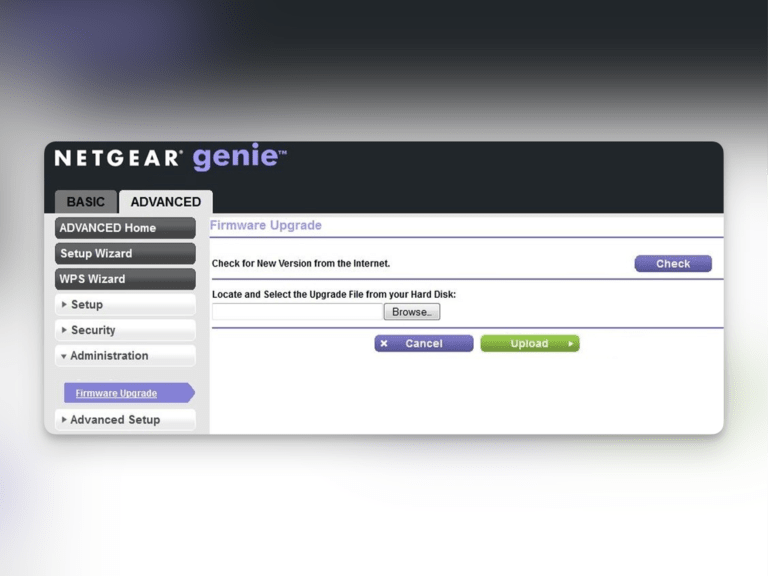
Another common reason for the orange light and other issues with Nighthawk routers is a firmware issue. Now, with Netgear routers, you can easily update the router firmware using the Nighthawk app or the web interface. In both situations, you can log in to Netgear router using the admin password and navigate to the area where you can find Router Update and Router Upgrade. The router firmware update may take 10-15 minutes, and you should ensure proper power delivery during this period.
Check for Incompatibility
Thirdly, a consistently lit orange light on the Netgear router’s LEDs could indicate an issue with the internet service provider. Even though routers are designed to work universally, some may not work with a specific ISP. If you’re in such a situation, you might want to contact your internet service provider.
Last, you should, of course, get in touch with Netgear support. Things will be easy if you have a router that is currently covered under warranty. You are likely to get a replacement or on-site support.
Frequently Asked Questions
Why isn’t my Netgear router connecting to the internet?
Your Netgear router may not connect to the internet due to issues with internet access or power delivery. You should try contacting your ISP to ensure your device is connected to the modem.
What does solid orange mean on a router?
The orange light on the router’s internet LED indicates no active internet access. If you see the orange light on the power LED, the router is not receiving power properly.
Which lights should be on a Netgear Nighthawk router?
If everything works fine, you will see a green or white light on the internet LED and a white light on the power LED. Depending on the Wi-Fi status, you would also see a white or green light on the Wi-Fi LED.
Conclusion
I believe this guide helped you clarify your doubts about the Netgear Nighthawk Router Orange Light.
I have tried to explore all the possibilities, including model-specific issues.

1 Comment
Just wanted to say thanks for the detailed breakdown on the Netgear Nighthawk router lights. I had the orange light on my Ethernet/LAN LED and was getting so frustrated. Followed your steps, and it’s back to normal now. Lifesaver!